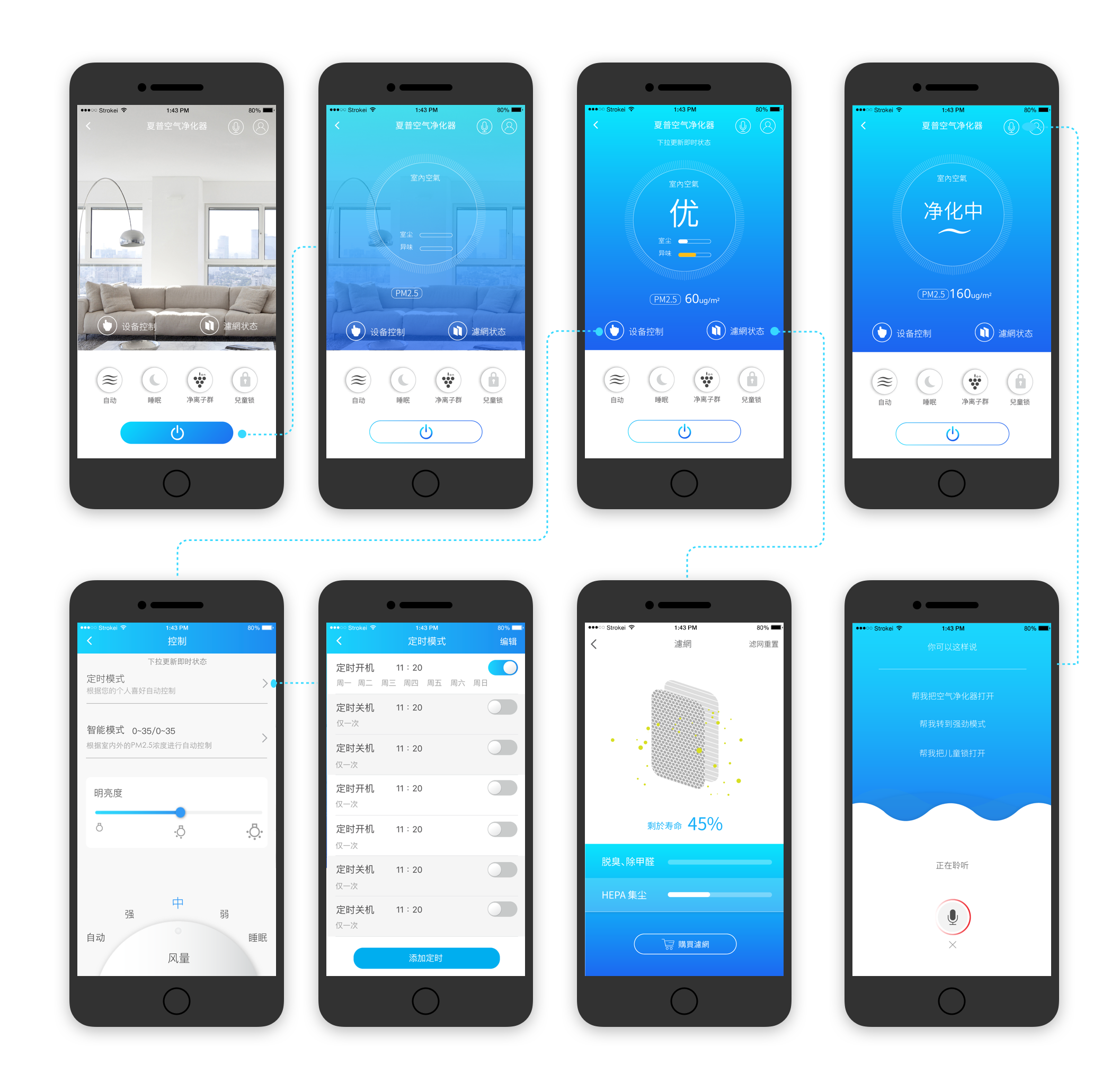
Overview:
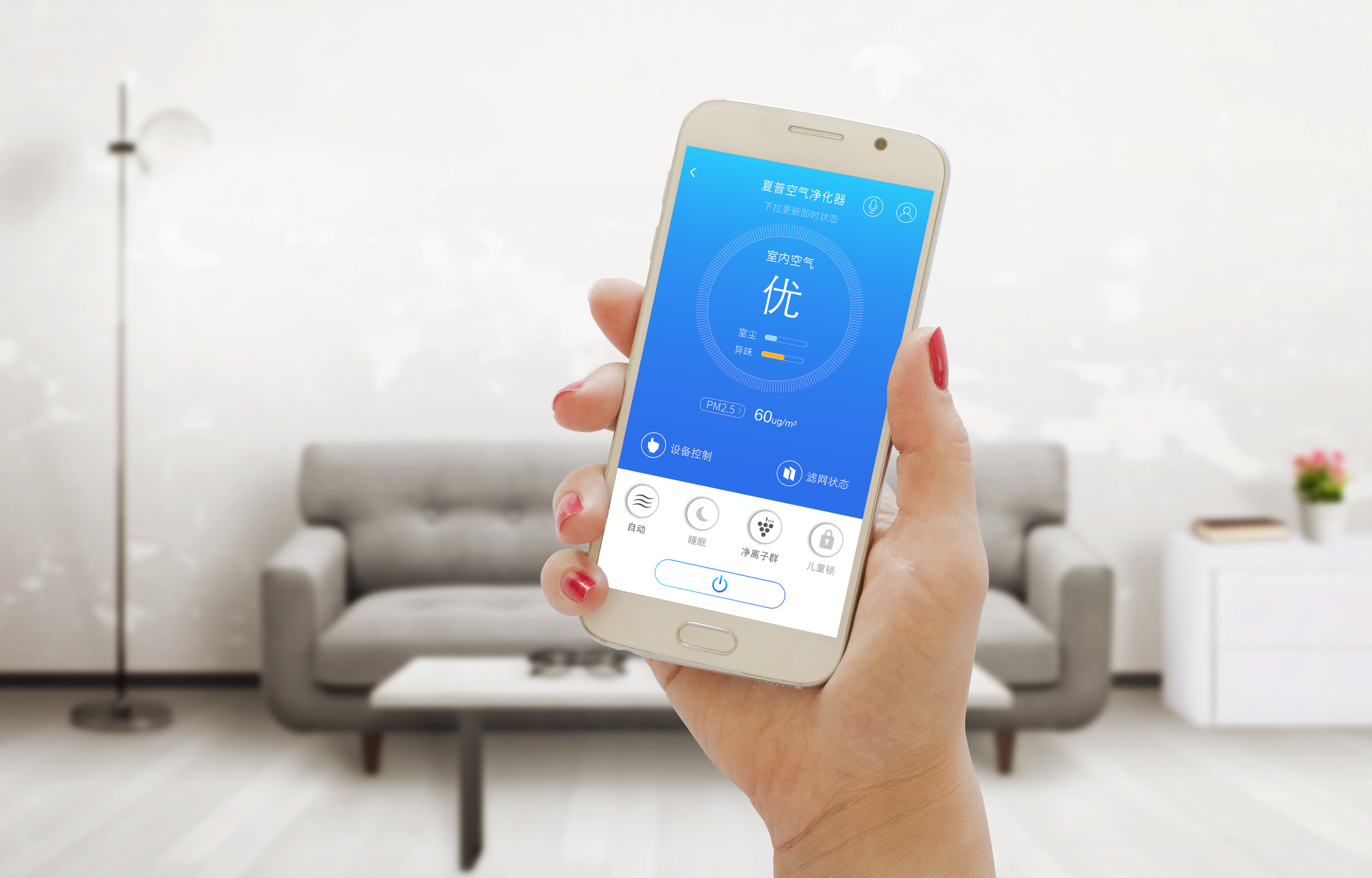
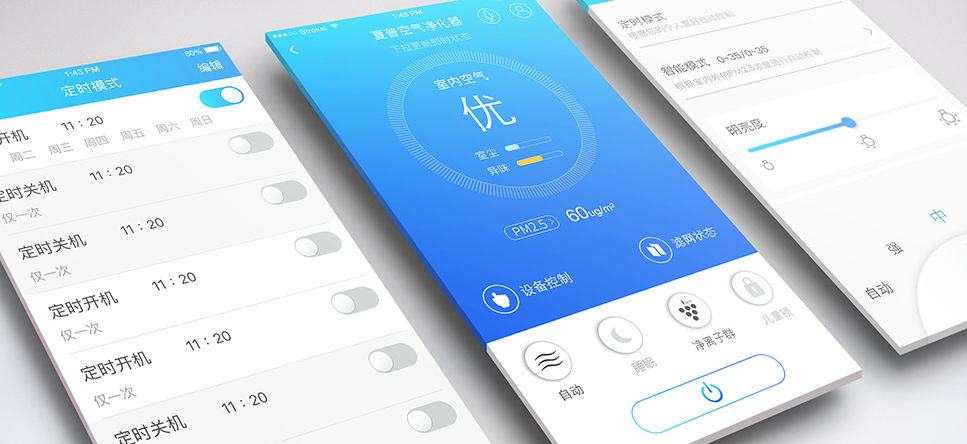
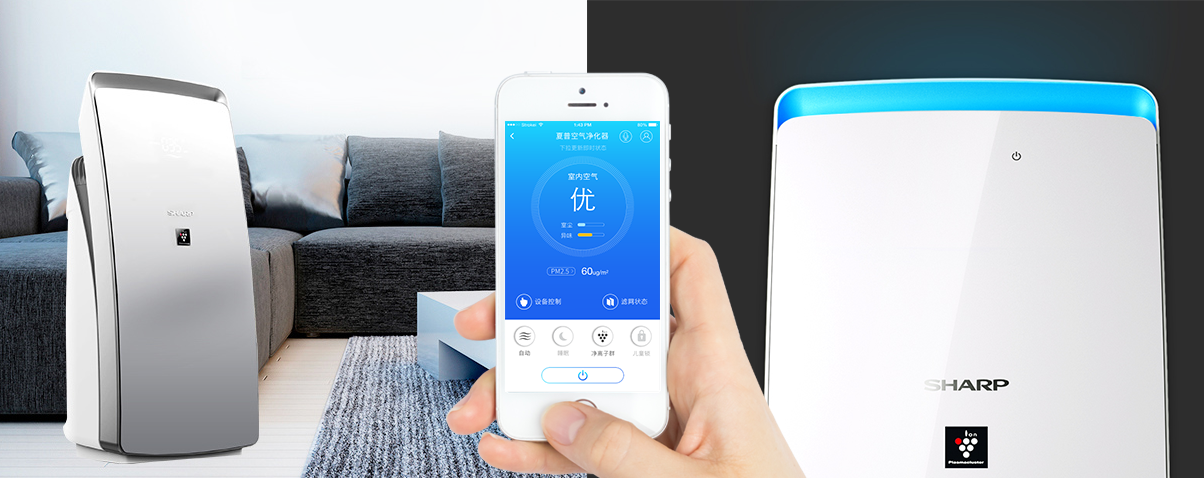
Available on iOS and Android, Sharp air purifier app helps you to monitor indoor and outdoor air quality and controls your appliance remotely. With the air purifier app, you can adapt your daily routine and control your air purifier in a smarter way.
Role:
UI/UX design
Timeline:
Jan. 2017 - Feb. 2017, 2 months
Introduction
There has been an increasing awareness of the air quality issue in China, many studies have warn us about the serious effects of air pollution. Therefore, air purifier market in China has been growing rapidly over the years. Sharp Electronics is Japan's long time air purifier market leader, their Plasmacluster technology and HEPA filter are known for resulting a healthier and fresher environment.
Most of the Sharp air purifier are IoT enabled, the air purifier app lets you control your products remotely and check useful information such as air quality, timer setting, and filter status. Prior to this project, users used WeChat’s mini program to connect and control their home appliances (air conditioner, air purifier, water purifier, etc), and our team was assigned to design a native app for controlling Sharp appliances.
goal
The goal of this project is to design an app for controlling all Sharp air purifiers. It will be developed within the Sharp smart home app(夏粉智家). Before we started the project, there were two things to keep in mind:
Follow the style guide of Sharp smart home app, maintain consistency of visual and interaction.
Get familiar with the actual air purifier, icons and symbols should use the same design.
ANALYZING THE CURRENT EXPERIENCE
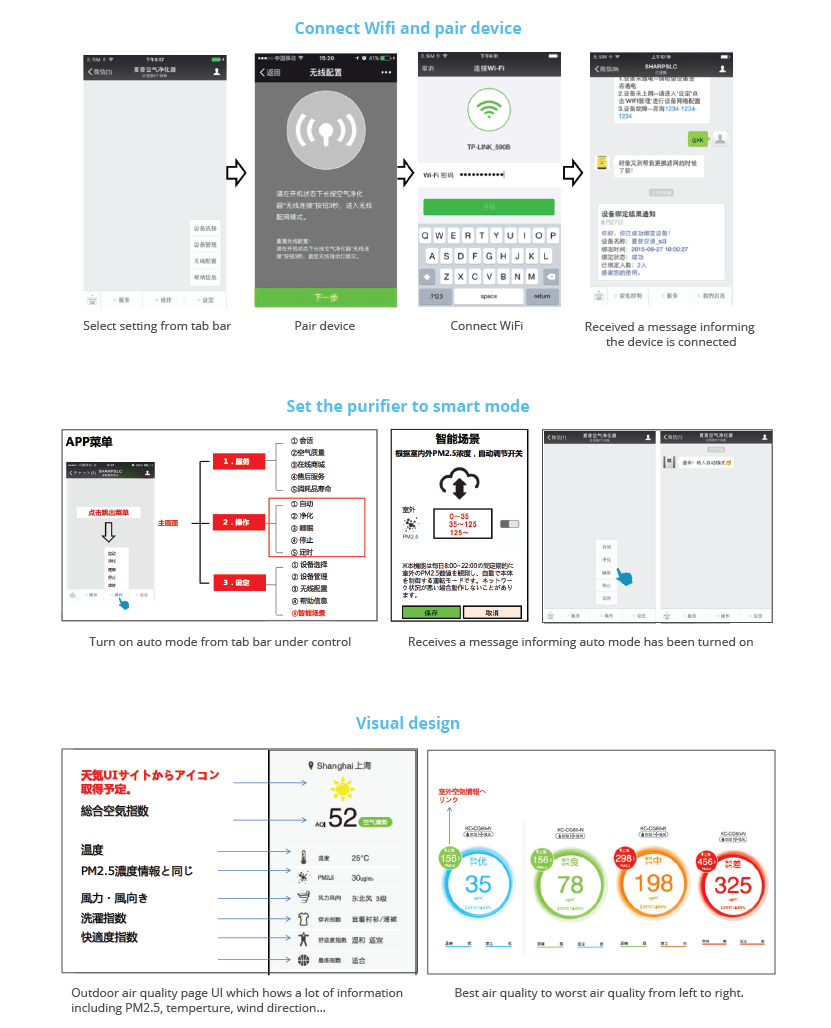
We began our research process by going through all the user interactions within the WeChat app to get a better understanding of the experience. First we learned that the main screen bottom has three tabs: service, control, and setting, and each section covers a lot of information. We felt that it’s easy to get overwhelmed and frustrated by this structure. We also noticed that WeChat app can’t send out push notifications, which is a downside because users won’t get notified if the air pollution is bad.
The screens below show the steps to connect wifi and pair device, to set the purifier to smart mode, and the visual design of outdoor and indoor air quality in app.
Market Research
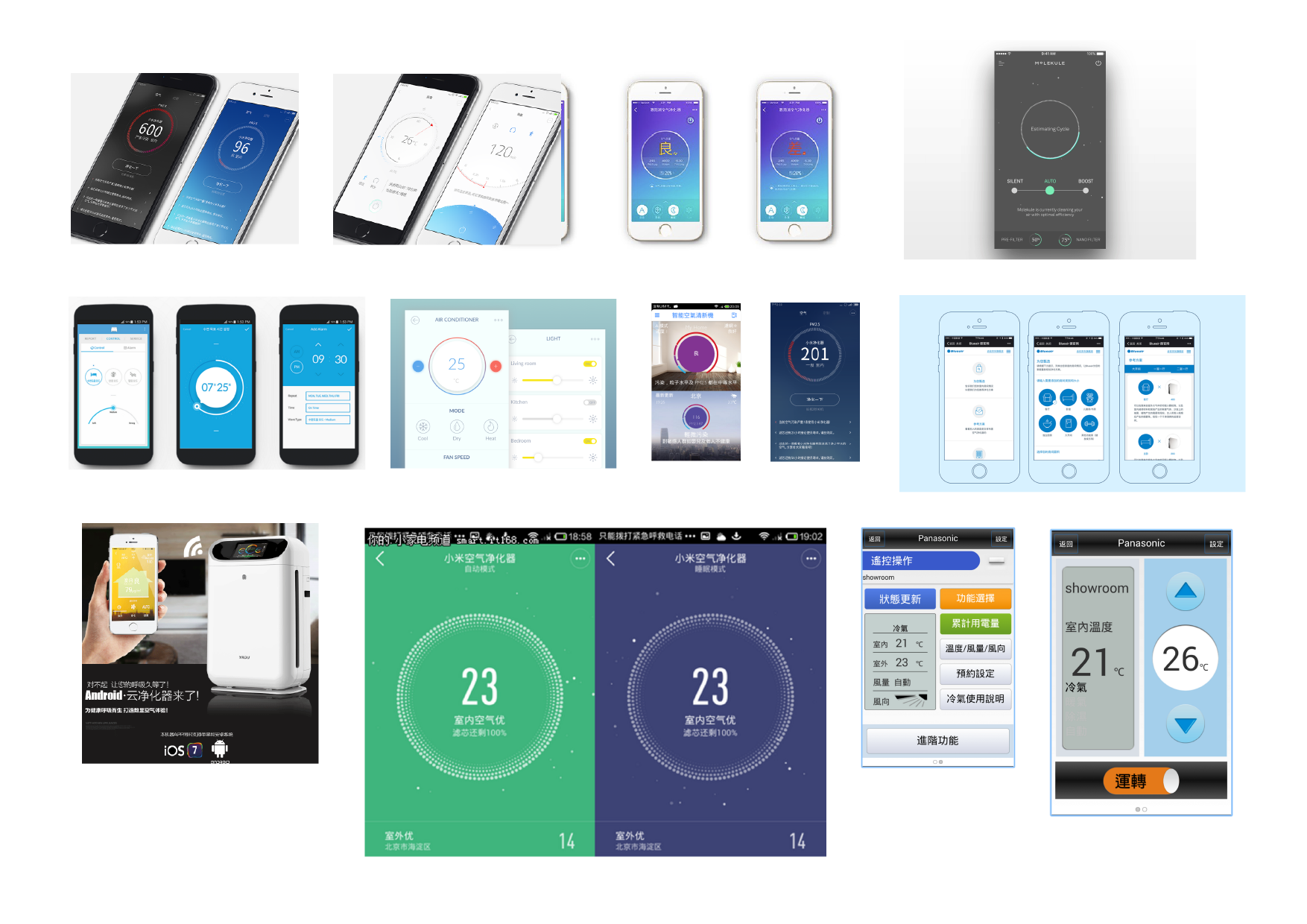
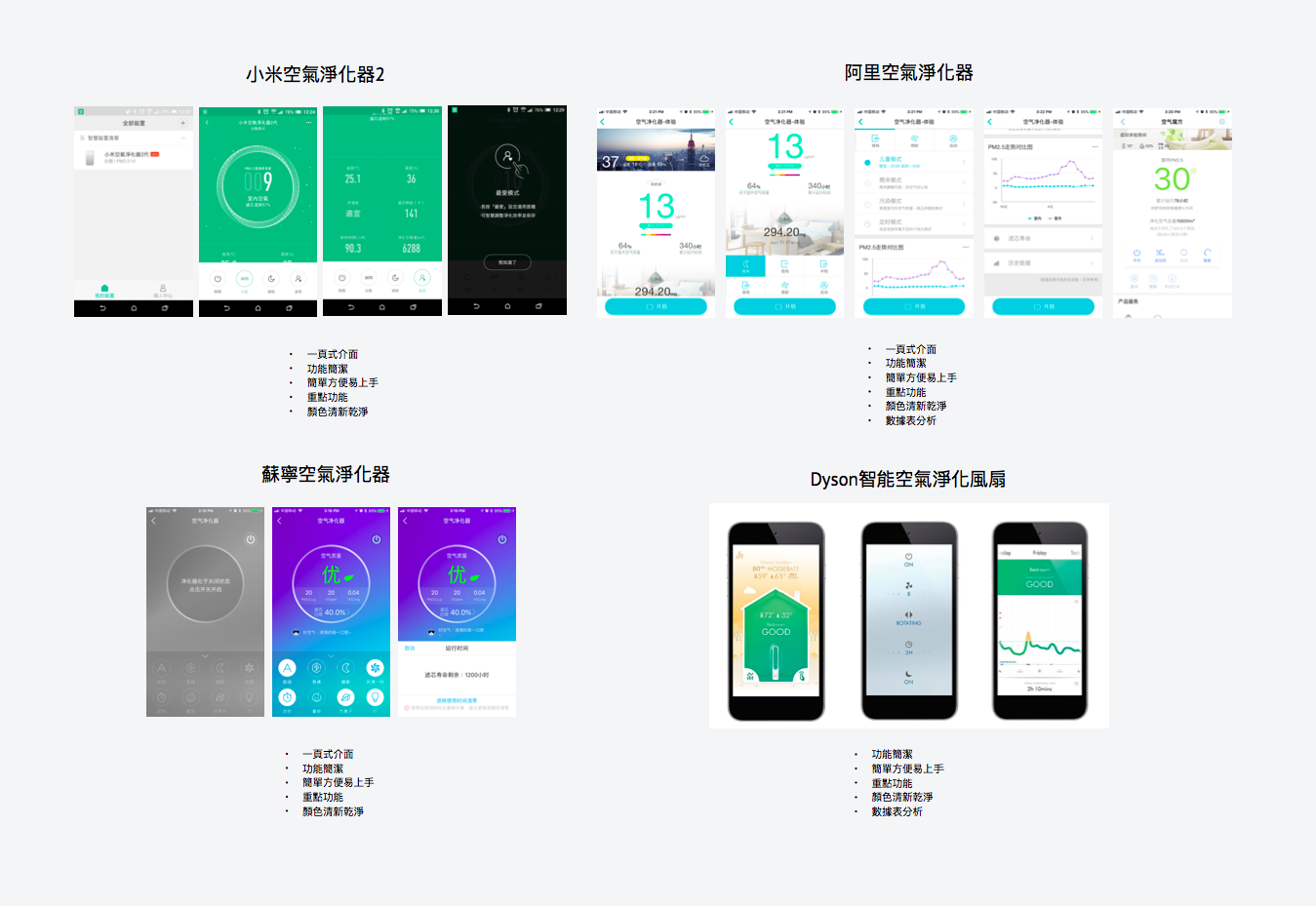
Because of the increasing demand for air purifiers in China, there are quite a number of IoT enabled air purifiers in the market, from international brands to local Chinese brands. We started the research with Market Analysis to establish an understanding of the current air purifier market, target audience and trends. We studied the main feature of air purifiers and needs from TA and analyze the current app on their key features, interactions, and UI design.
Besides industrial air pollution, allergies and home renovated are the other two main causes of polluted air
30~40 year old parents are the major consumer group in the market.
Each brand has its own air purifier app, most of the apps are sub-applications within WeChat.
Most apps show filter status.
People cares about indoor air quality as much as outdoor air quality.
Interviews
To further study the target audience and the experience they had with the air purifier, we conducted 6 semi-structured interviews with people who already have an Sharp air purifier and people who don’t have one but is looking to purchase one. With the interviewees who already have a Sharp air purifier, we asked them about their experience using the WeChat app, how often they used them, and what kind of problem they’ve encountered. With the interviewees who did not have any air purifier, we asked them about what would motivate them to get one, their app behavior, and their experience or thoughts on any smart device.
Interview findings:
Users were not familiar with reading PM2.5 numbers, they just wanted to know if the air quality was good or bad.
Only 1/3 of the users actually used the app to control appliances, most people had poor experience with the app.
Users did not now when to change a filter.
Users did not care about detailed information like the carbon monoxide, carbon dioxide, ozone, etc.
No one had made a purchase on the Sharp online store from the app.
Persona
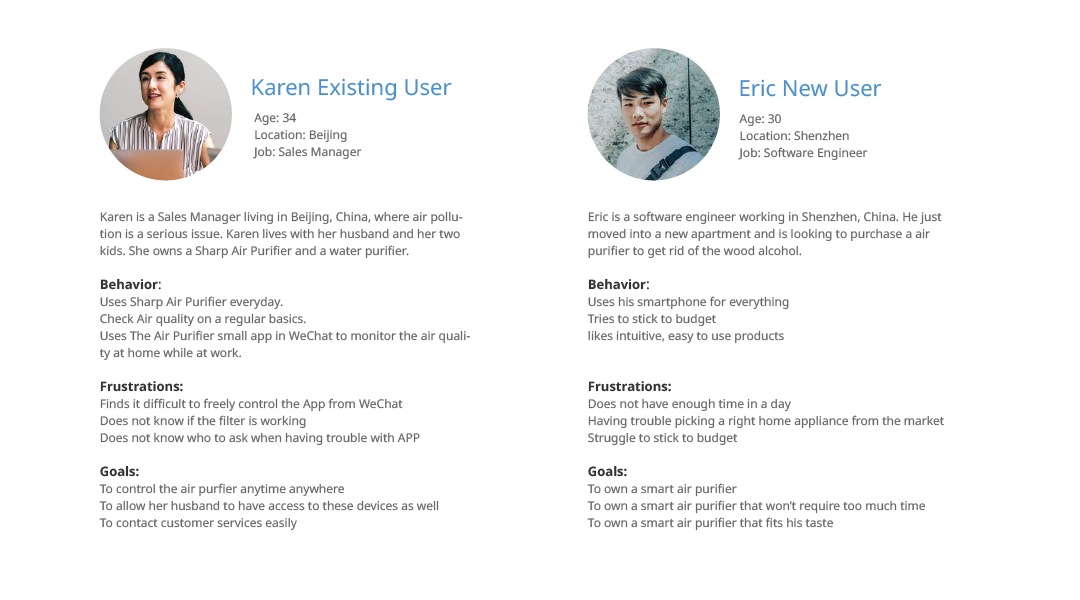
Base on our research data, we created two personas to represent existing and non-existing users. They were used to develop product solutions, features requirements and functionality.
User Journey map
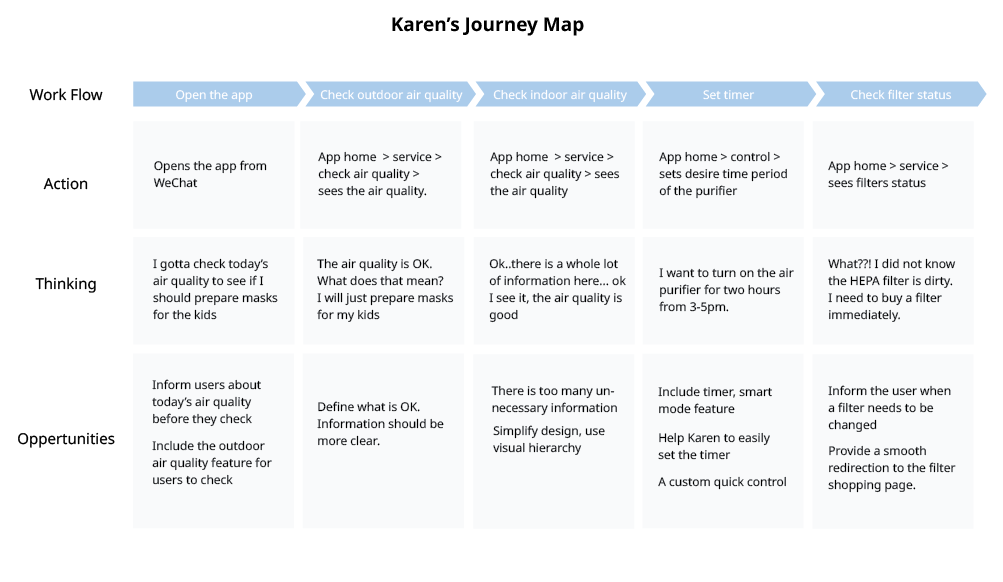
To better understand the opportunities, we wrote down the typical use case, walked ourselves through the critical user journey which fits most of our use cases:
design goal
After brainstorming and discussion based on user research insights, we established these design goals:
Users will receive notification in scenarios such as: when the air quality is bad, when the filters need to be changed.
Shows how many more days/percentage left of the filters
Design clear, simple UI for air quality
An easy set up for smart mode
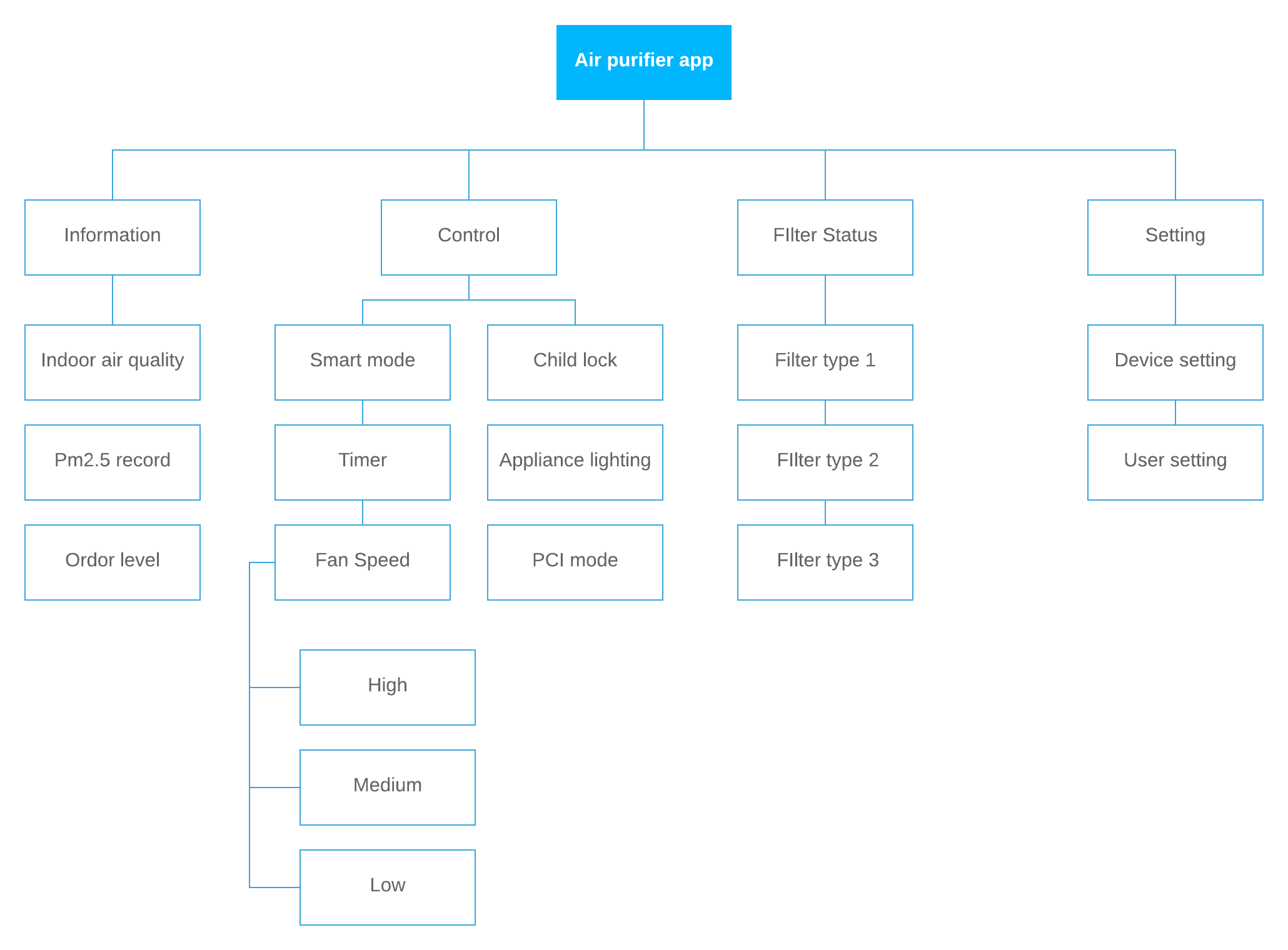
INFORMATION ARCHITECTURE
Wireframes
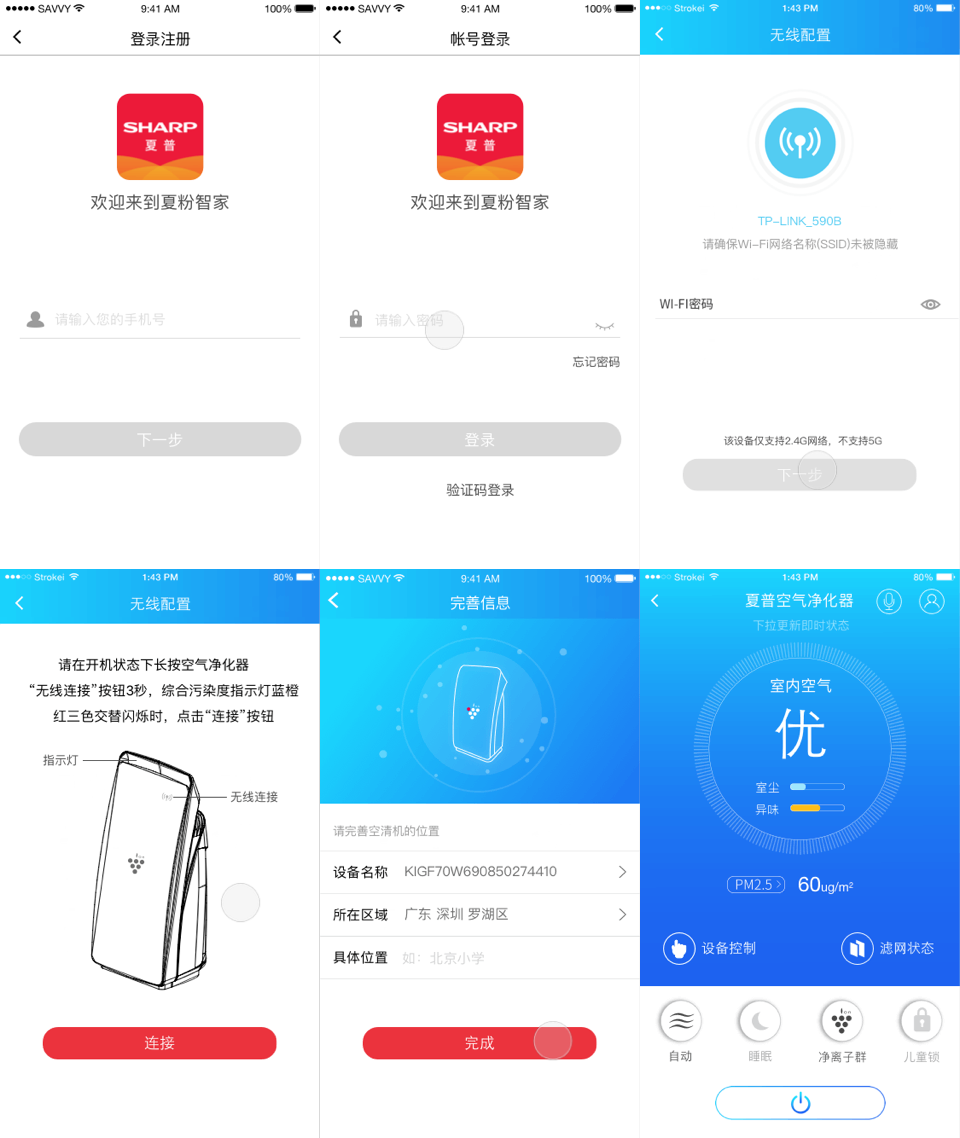
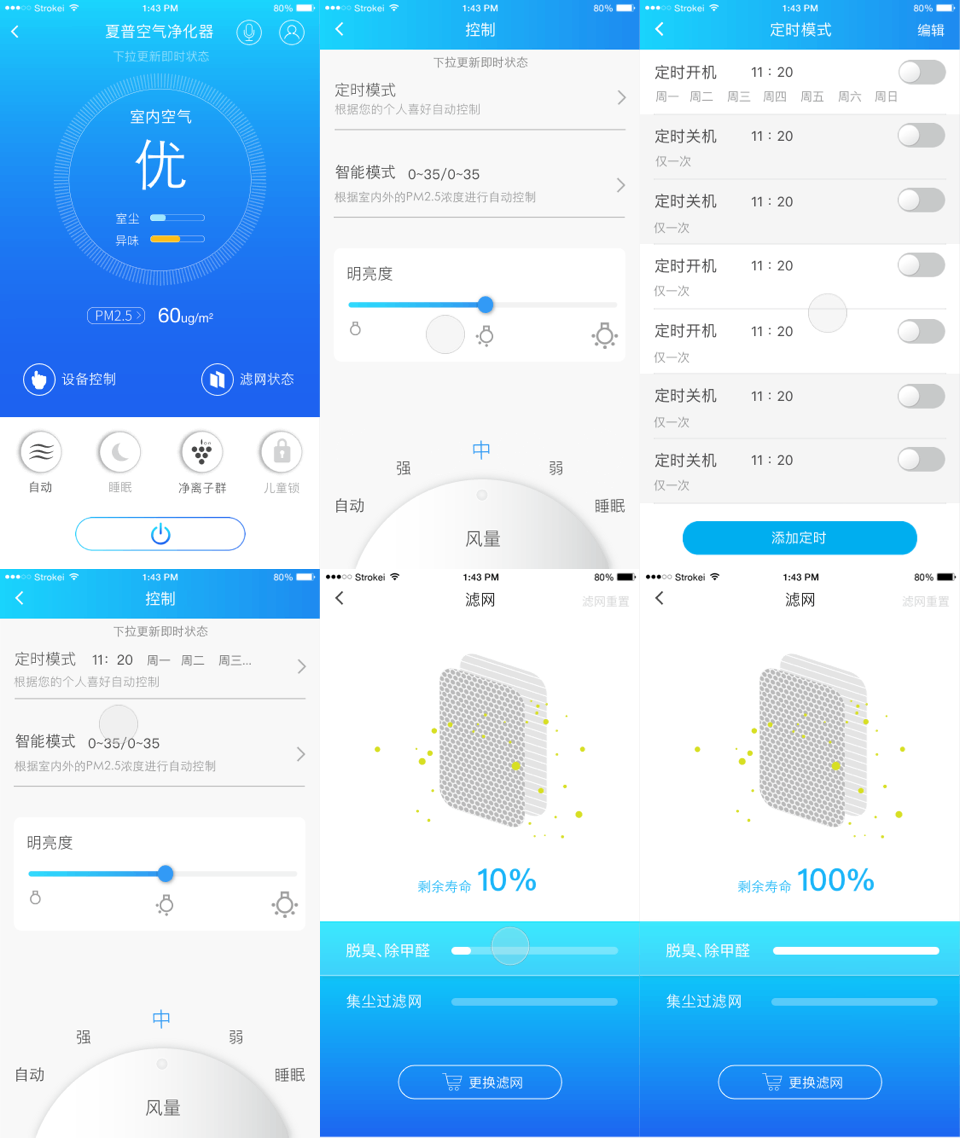
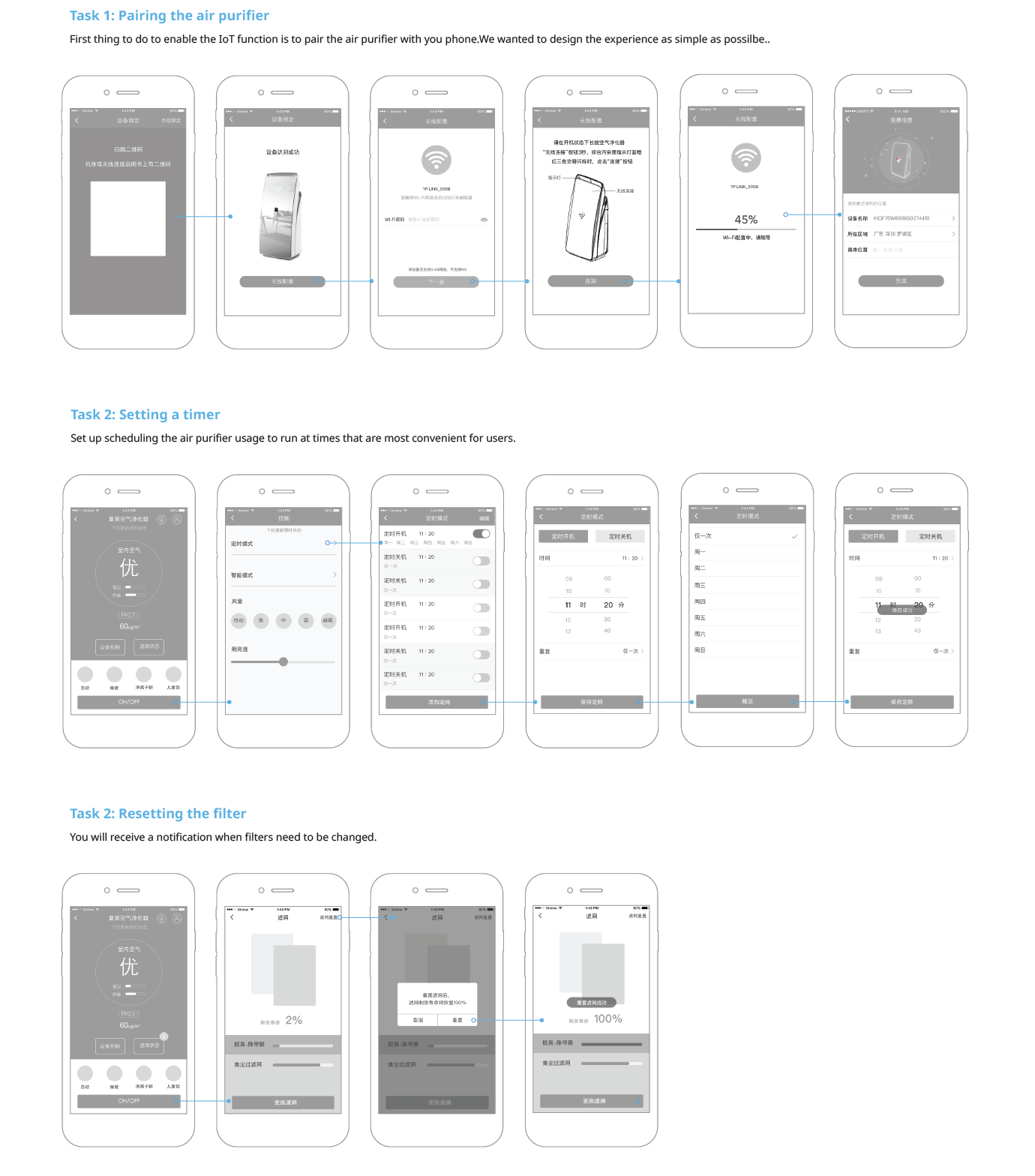
We’ve developed low-fidelity wireframes to visualize the main three task flows: pairing the air purifier, setting a timer, and resetting the filter.
High Fidelity Design
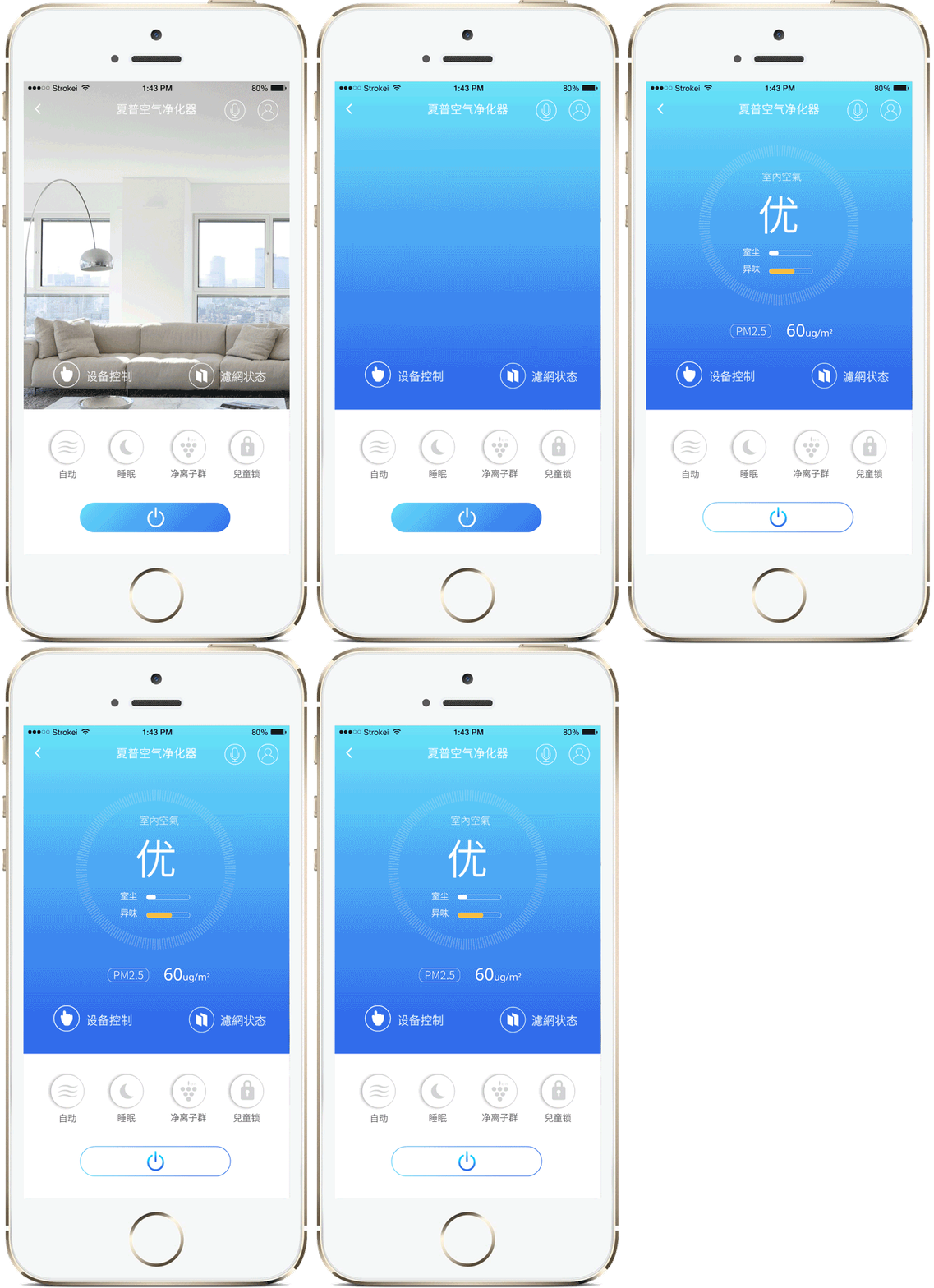
We made sure our design elements are uniform, look and behave the same way as the Sharp Smart home app and other Sharp home appliances app.