Overview:
Sharp IoT smart fridge was an extensive year-long project that I worked on during my time at Foxconn. Our team worked with the design team from Sharp Japan together to develop the first Sharp IoT Smart Fridge.
Timeline:
February 2017- April 2018, 14 months
Role:
UX research, UI/UX design
Introduction
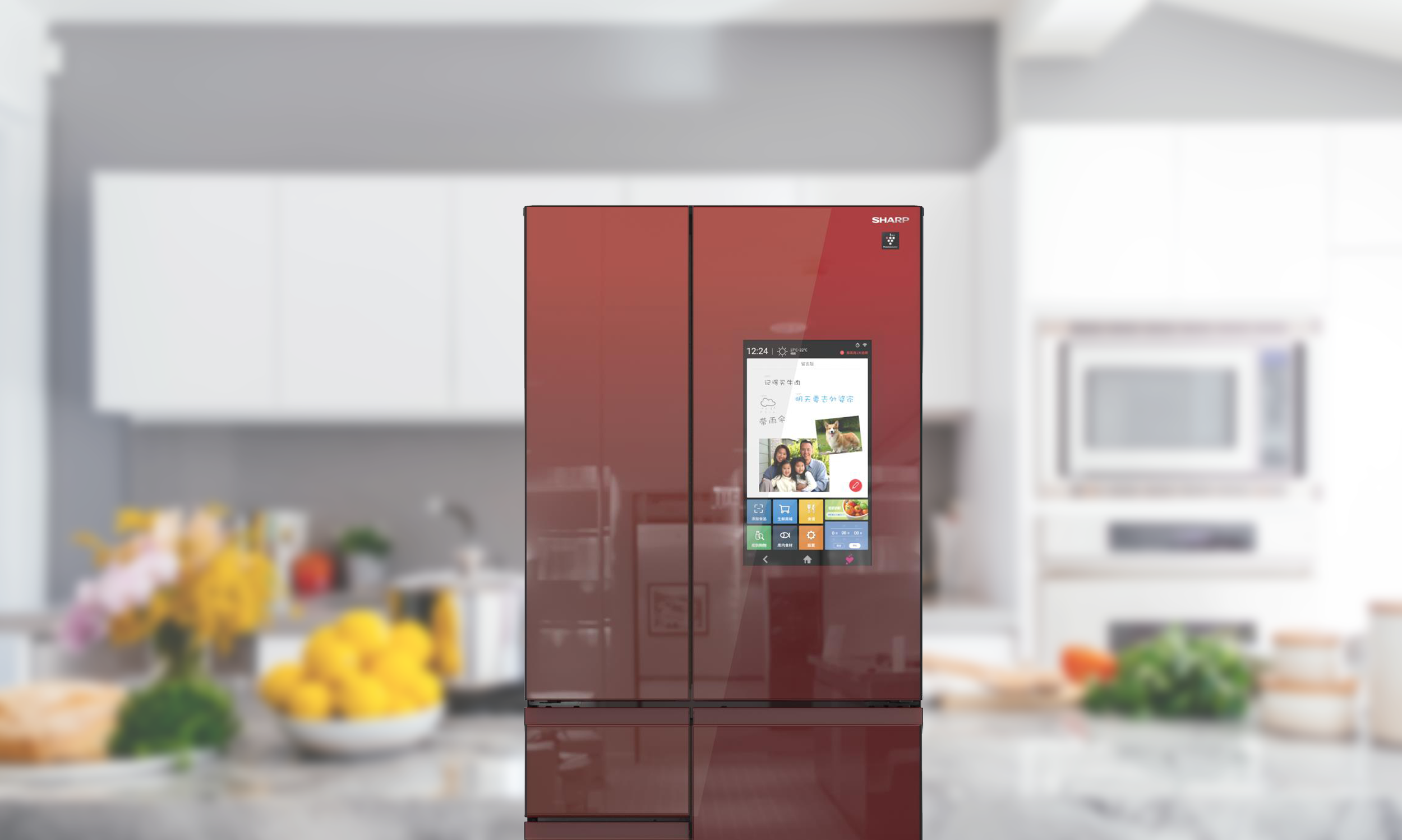
Smart home has become the fastest growing market in China over the past few years. Research has shown that the IoTs market in China is expected to reach RMB 1.83 trillion by 2020. Sharp Electronic, one of the top selling home appliances brand in Asia, has also been innovating its smart appliances including the smart fridge. Sharp smart fridge is an IoT refrigerator features a 17.5-inch touch screen on the door, 4 internal cameras for food monitoring, that uses modern technologies like digital computing, food recognition, and voice control, to boost the capabilities of a traditional refrigerator.
Goal
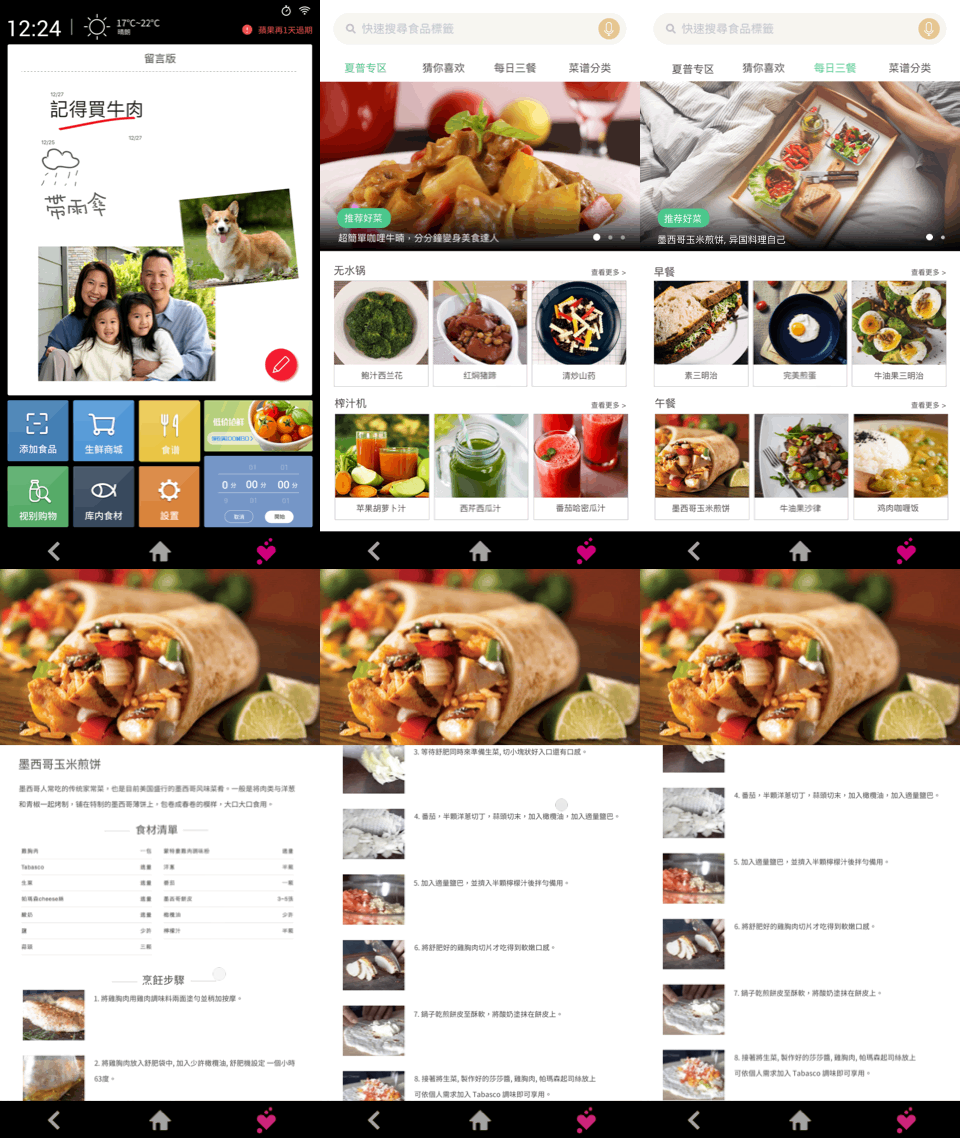
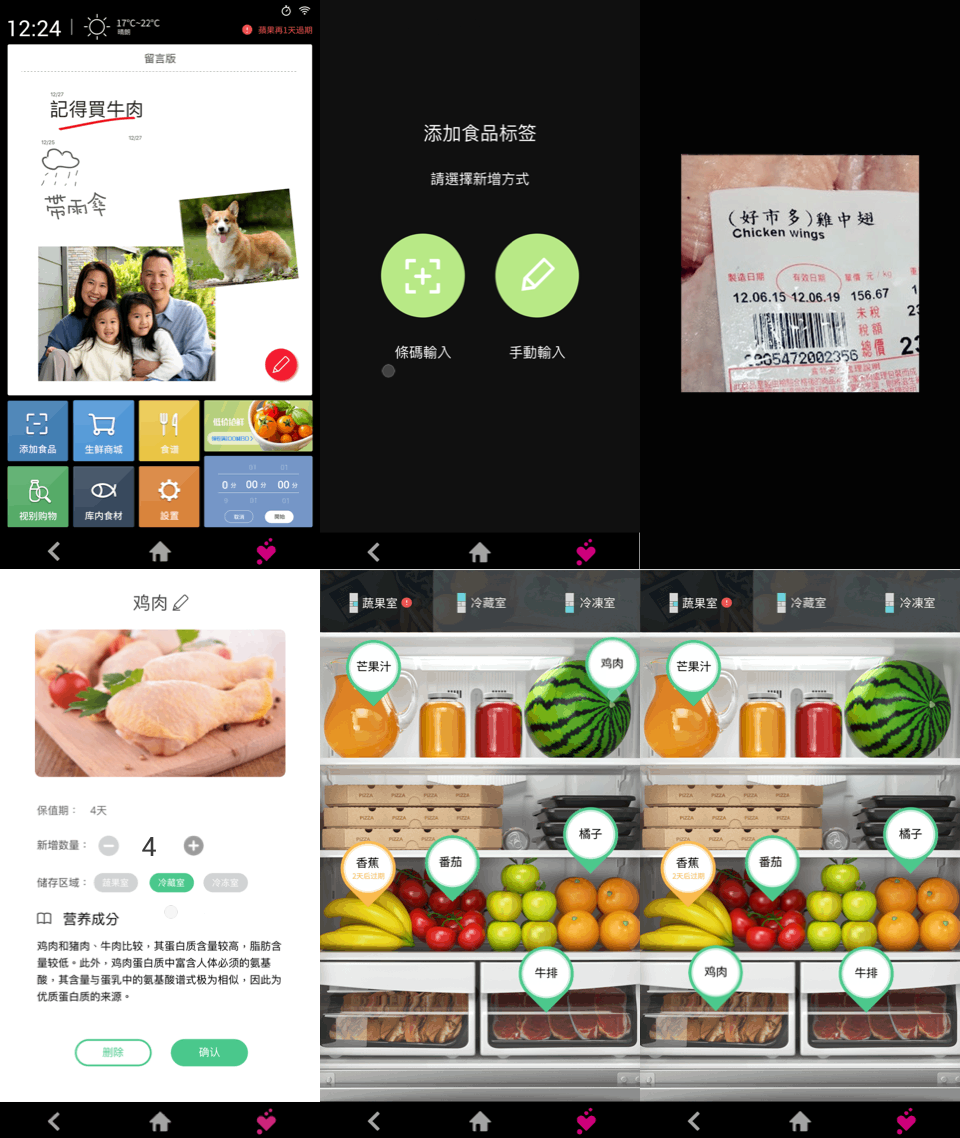
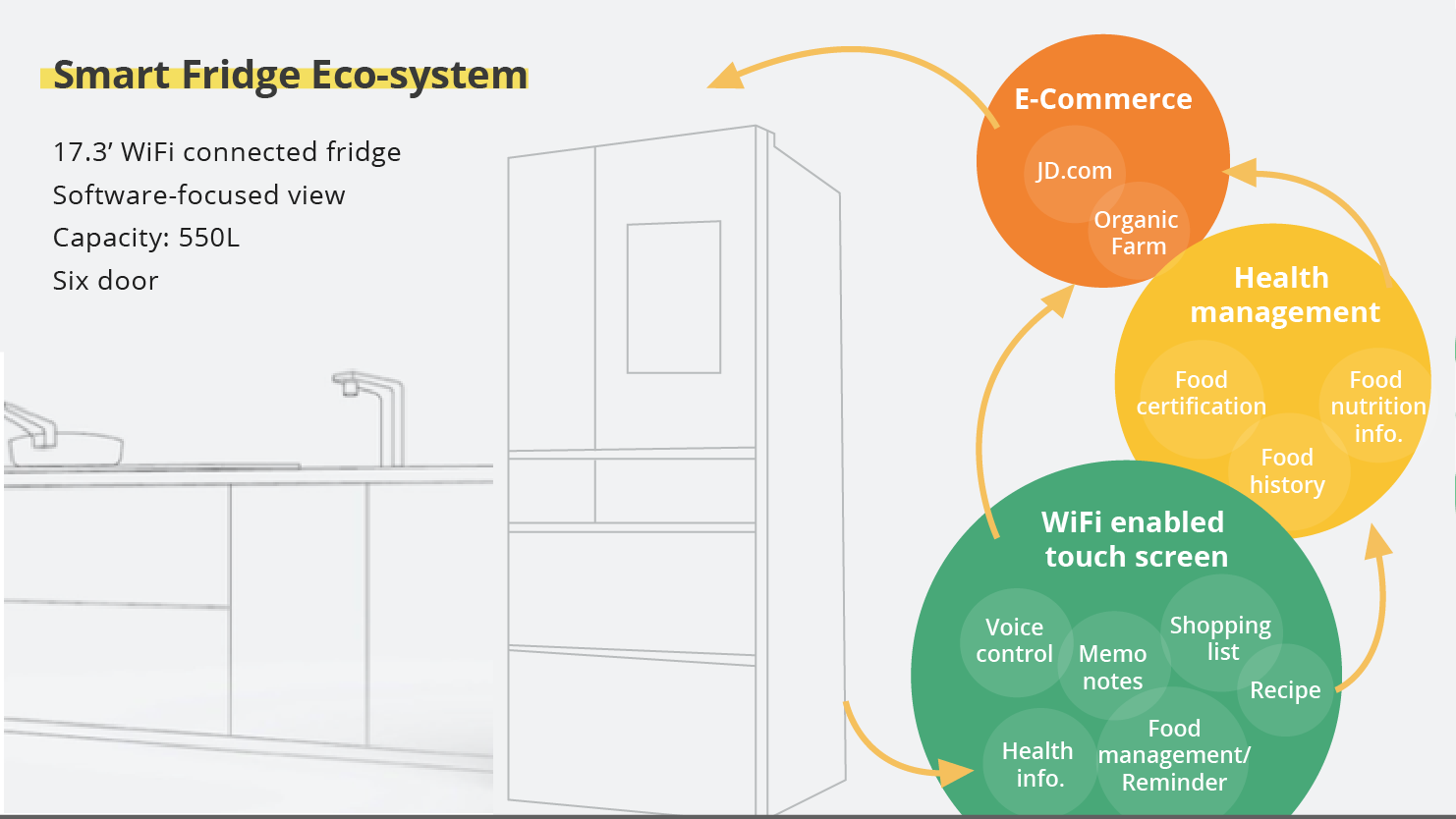
The goal of the project was to design the IoT experience of the smart fridge incorporating food monitoring and management, health, eCommerce and delivery service. Helps users to make better decisions on food storage and management. With a connected mobile app that give users the ability to check what’s in their fridge, update their shopping lists, pick recipes for future meals, and post notes for the family to see.
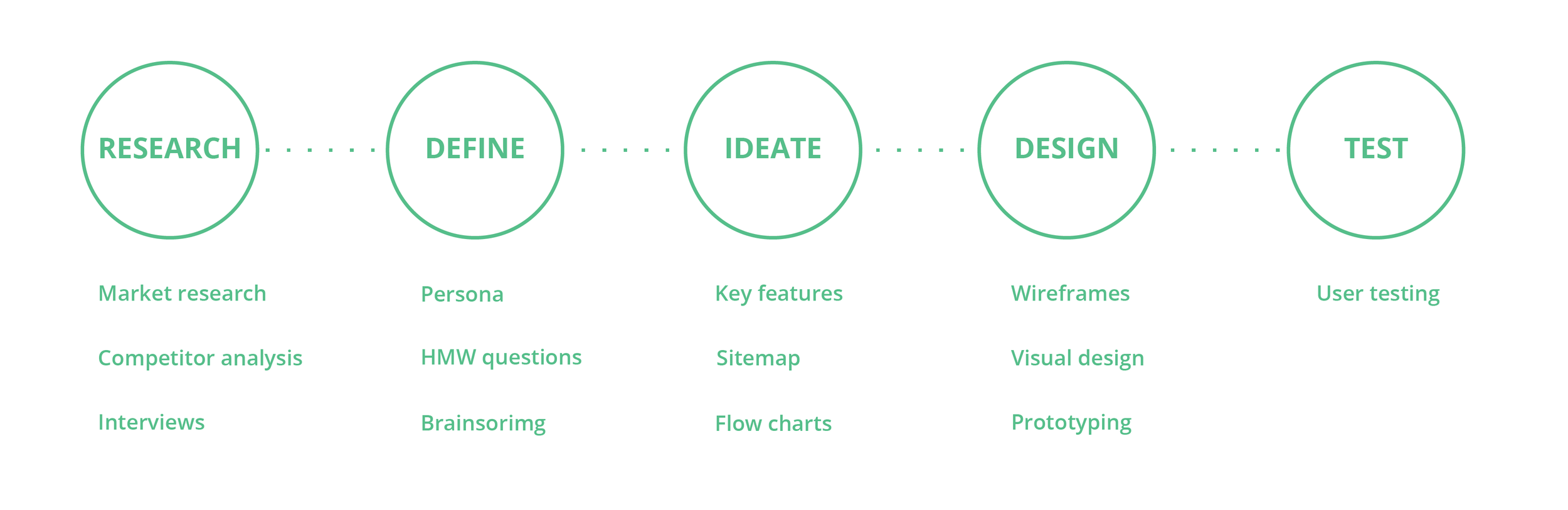
process
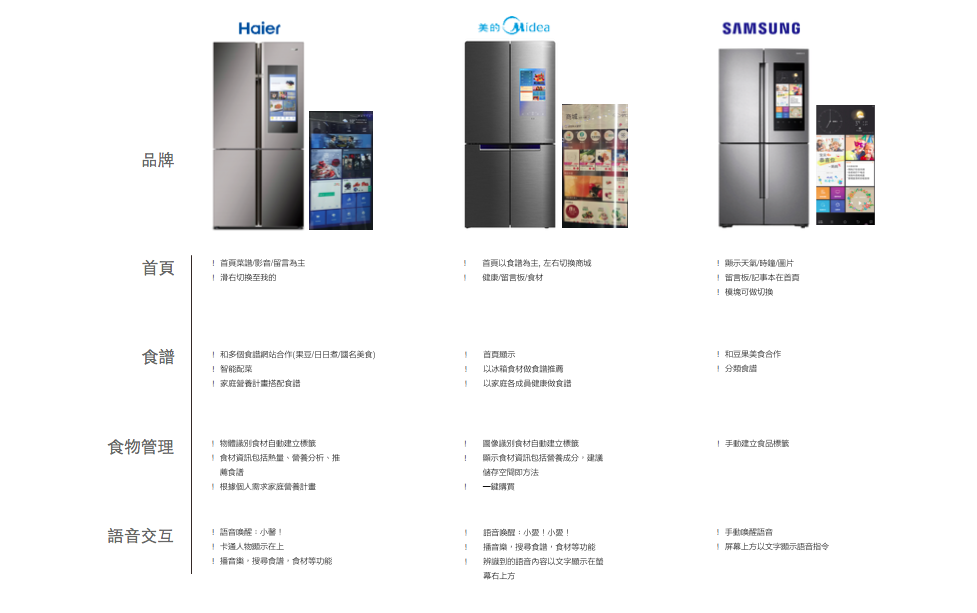
Competitor Analysis:
First step we took was doing research on the existing smart fridges in China. We did online research as well as visiting appliance stores. We focused our research on the features, technologies, information architecture, and UI design.
Research Insights:
All the smart fridge had features like food management, recipe suggestion, entertainment, message board and voice control.
Many company put a lot of advertisement and coupon information on the homepage of the screen.
Review shows that temperature control was not as important as knowing what was in the fridge.
Many users had problems with voice command.
Smart fridge content relies heavily on third-party apps.
Target user
After the competitor research, the next step was to find our target user and identifying their needs. We talked to the stakeholders and read reports from different sources like Mintel, 199IT, etc to have a better understanding on our product position and target audience. One of the key insights we found from the market research was that we found parents more interested in smart home appliance than others. According to Kaye Huang, Research Analyst, Mintel China Reports: Parents are showing more interest in smart home devices than those without children; which is likely to be attributed to how smart home devices can help parents save time and effort. With other valuable insights from market research, we predicted our target audience to be: 1. Age 34~45 parents, 2. Have healthy cooking and eating habits, 3. Likes to invite friends over for dinner occasionally, 4. High-end costumers.
Interview
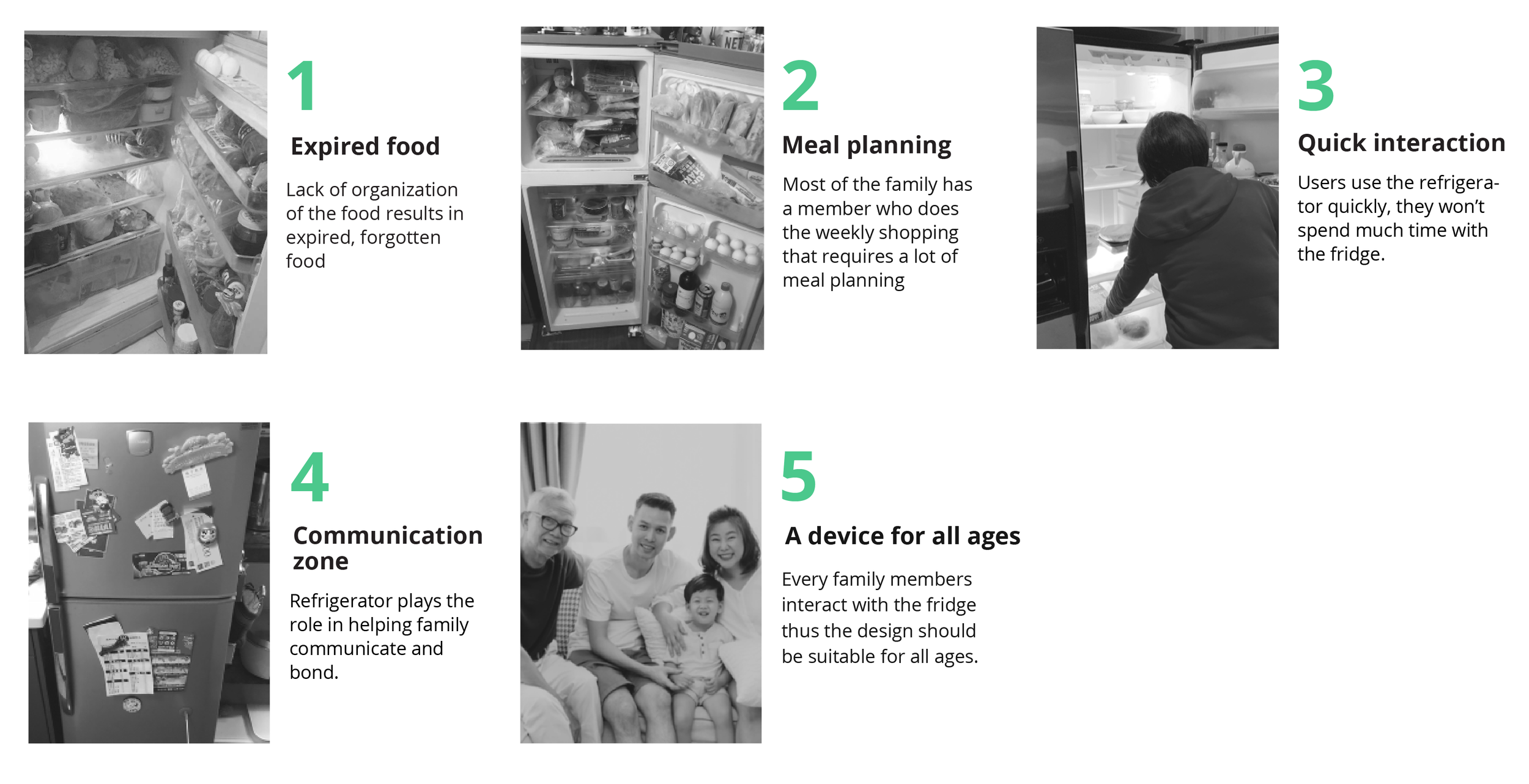
After identified our target audiences to 34~45 high income parents, we then conducted 5 interviews with them. Through interview and observation, we tried to understand: 1. their daily routine in the kitchen, 2. their eating and shopping habits, 3. what problems they have with their refrigerators and 4. how do they use their fridge?
After a few rounds of interviews and discussion, we’ve concluded our research with some key insights:
Personas
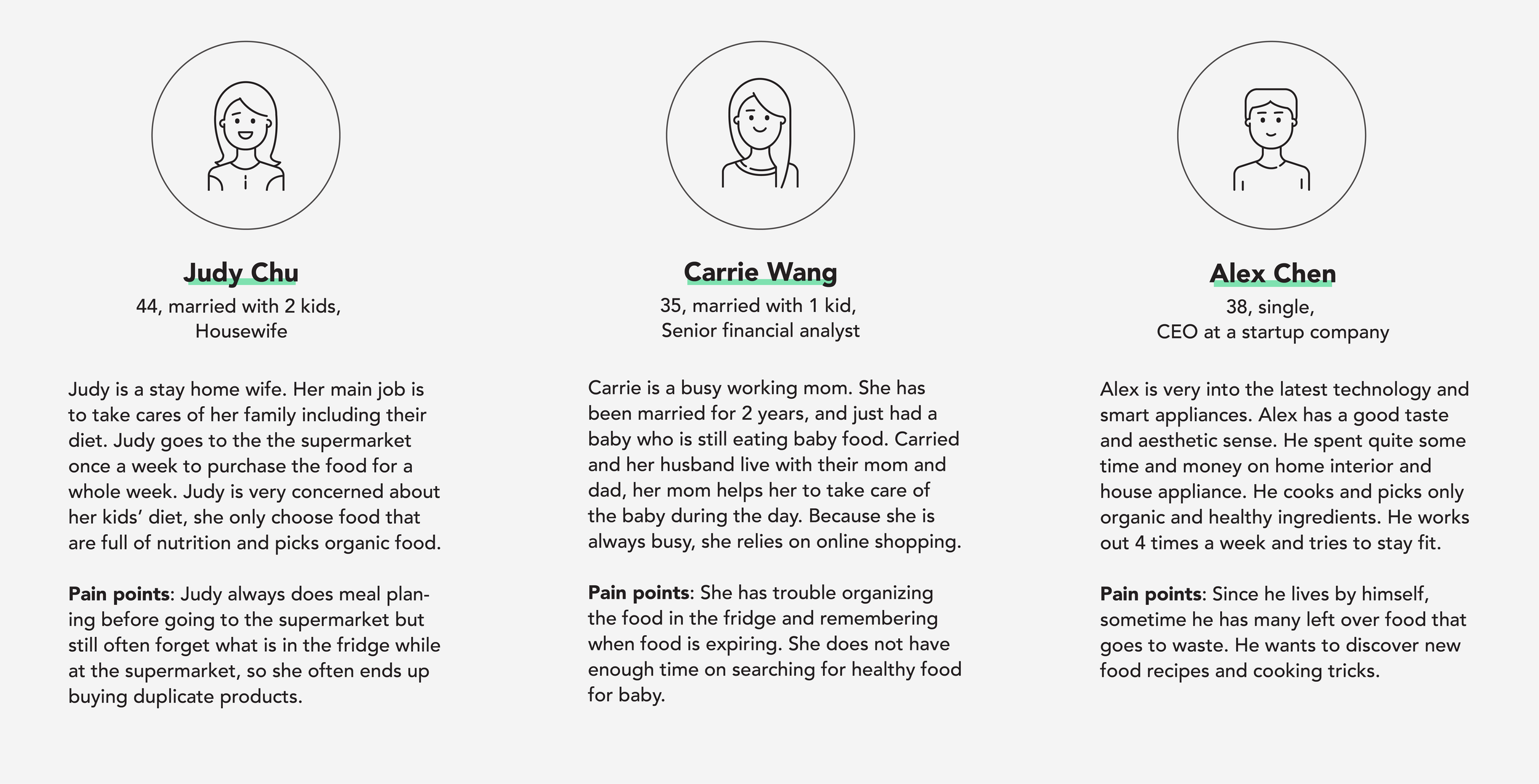
Based on our research findings, we came up with three persons:
how might we?
After defining our personas, their pain points and needs, we then started to ideate the product features, information architecture, and user flows. But before that, we wanted to spend some time establish the key strategy of our design. Based on the insights gained from the user research and competitor analysis, we asked ourselves these HMW questions to help us establish our design goal:
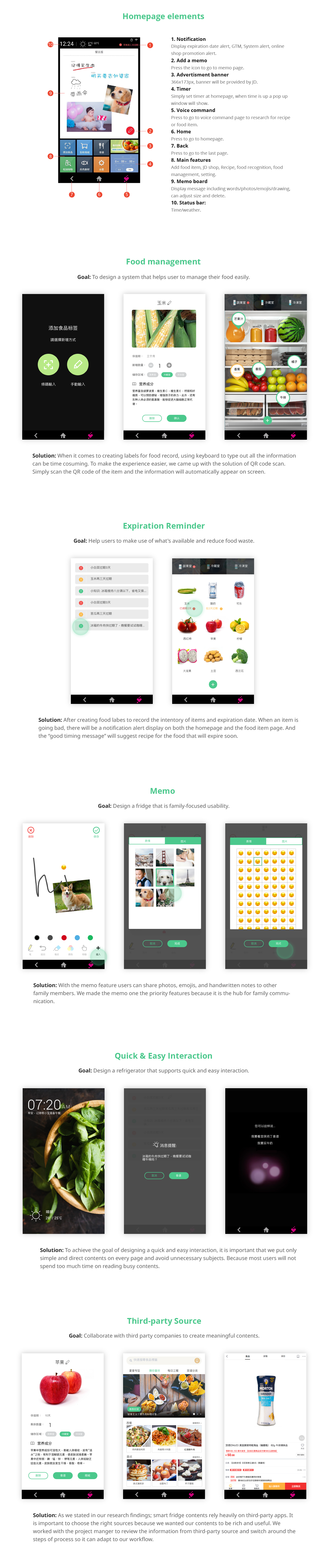
How might we design a system that helps user to record and manage their food easily?
How might we design a fridge that is family-focused usability?
How might we help users to make use of what's available and reduce food waste?
How might we design a refrigerator that supports quick and easy interaction?
How might we collaborate with third party companies to help us create rich and meaningful contents?
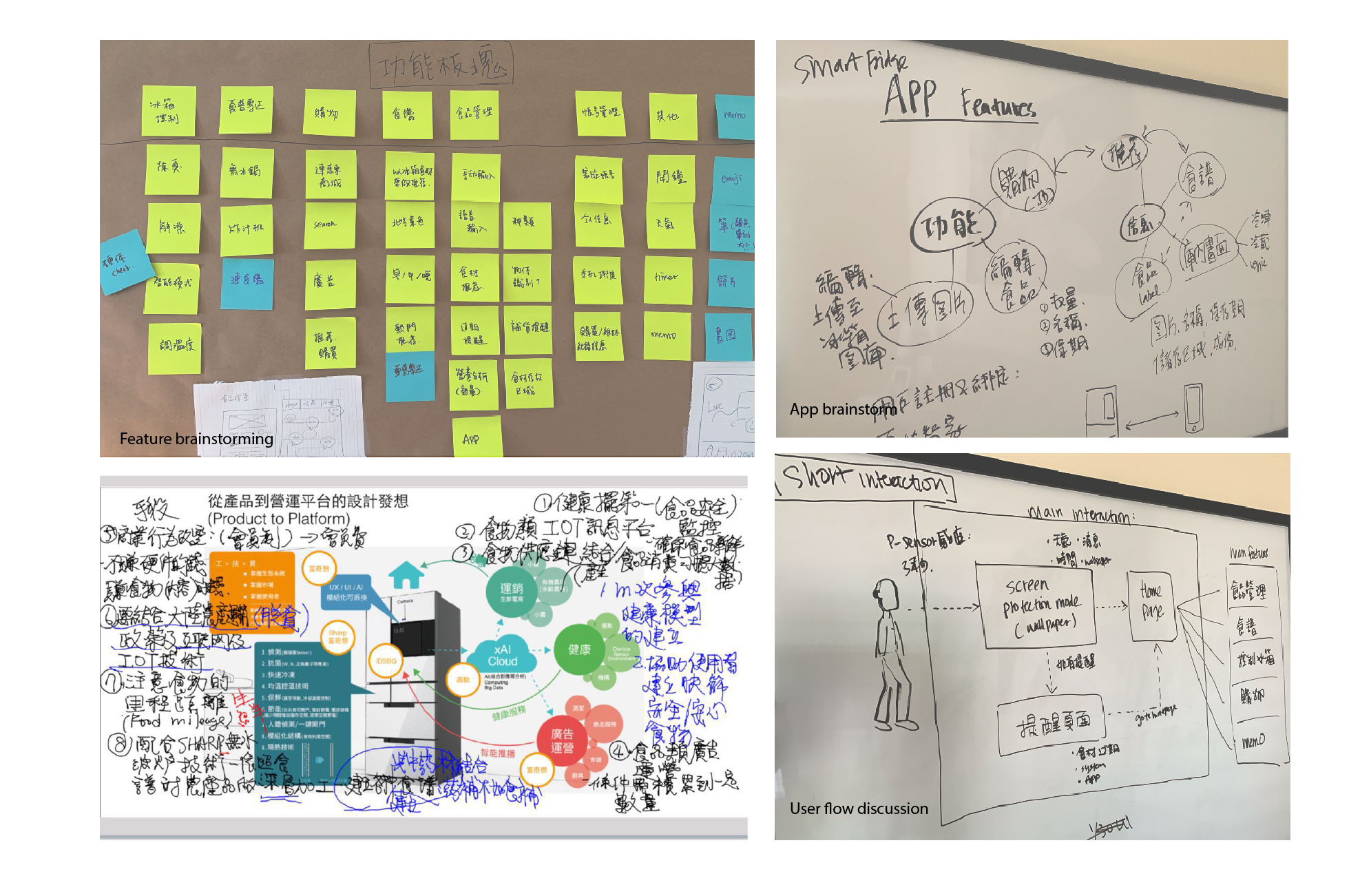
BRAINSTORMING & DISCUSSIONS
After we established our project direction, we then started to discuss more detailed on features prioritization, user experience and concepts.
KEY FEATURES
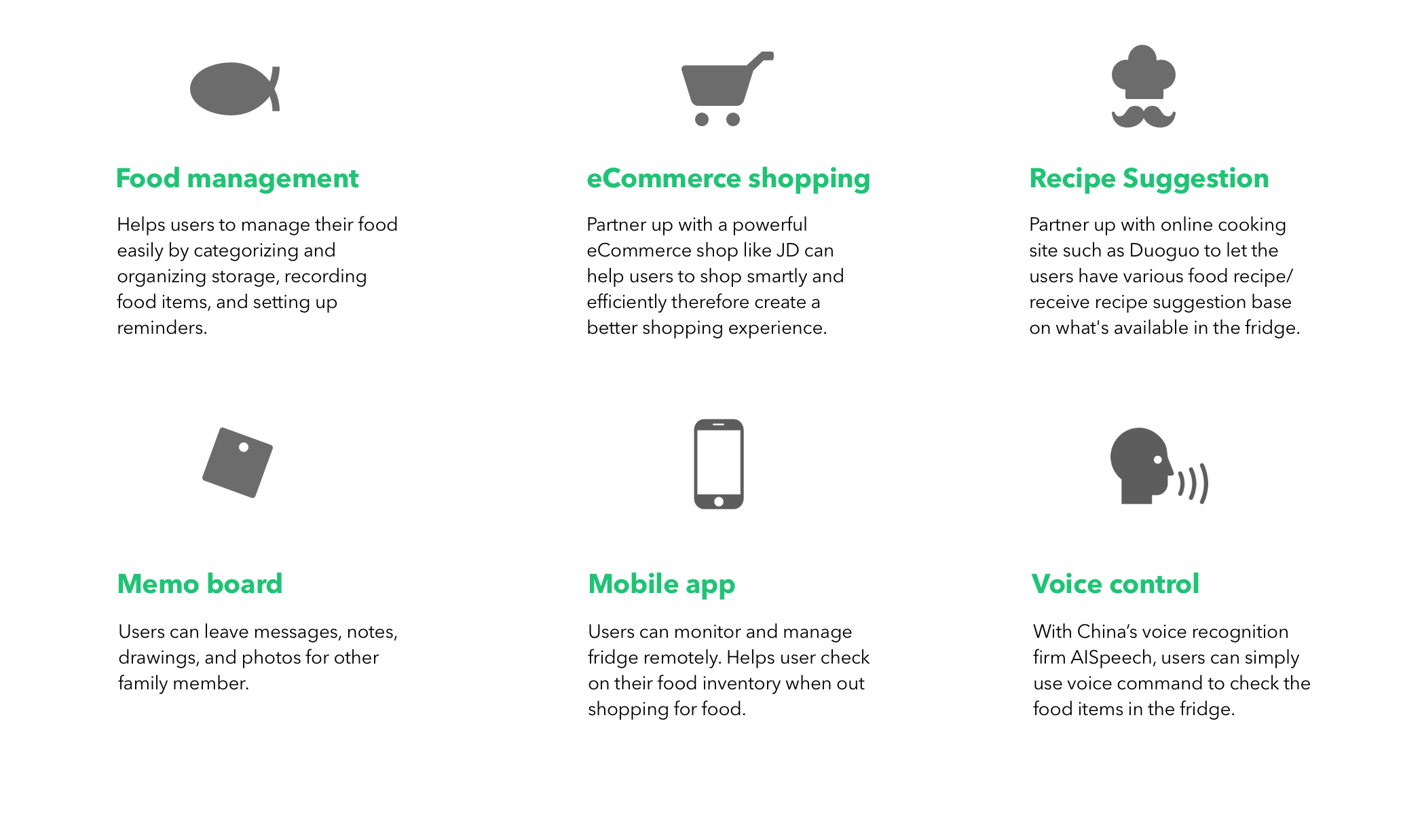
After rounds of discussions based on business goals and user research insights, these key features were established:
Good Timing Message(GTM)
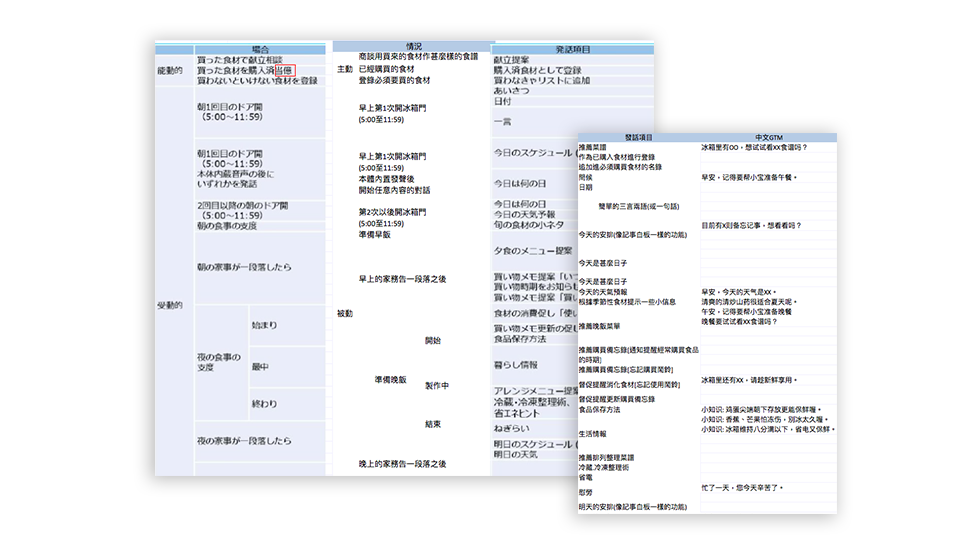
The GTM (Good Timing Message) is a list of messages that will appear on the homepage under notifications. It is called the “Good Timing Message” because it delivers the right message at the right time. We created the message contents by simulating different scenarios such as when a food item is going to expire and the user needs to be notified, when something is going to be out of stock and the users might want to know, when the weather gets cold and a soup recipe can be suggested.. and the list goes on. It is a simple yet thoughtful feature of the Sharp smart fridge.
information architecture
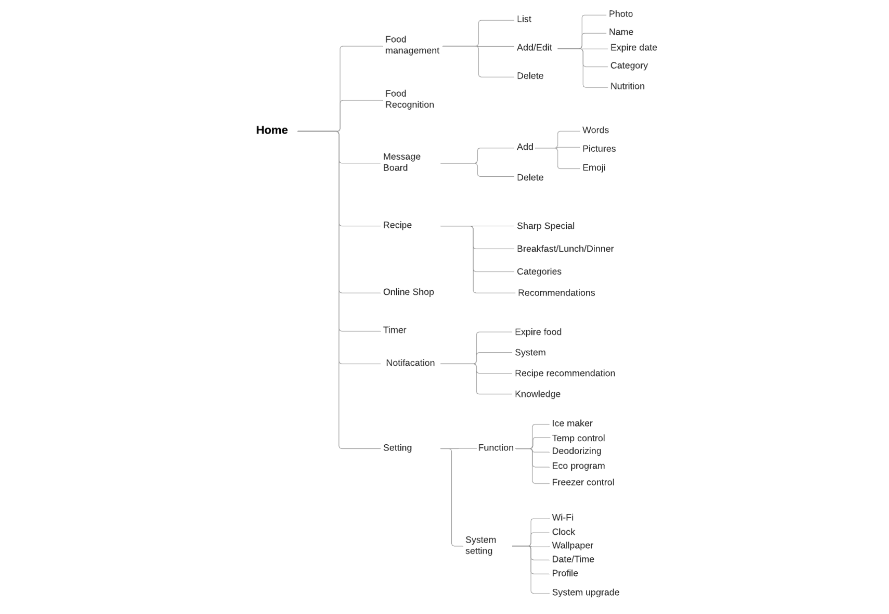
We then created a sitemap in order to visualize the information architecture of the app. We found items relate to each other; items that could fit into more than one categories, through this exercise we were able to organize features and understand how the features fit together structurally to create a larger picture.
flowcharts
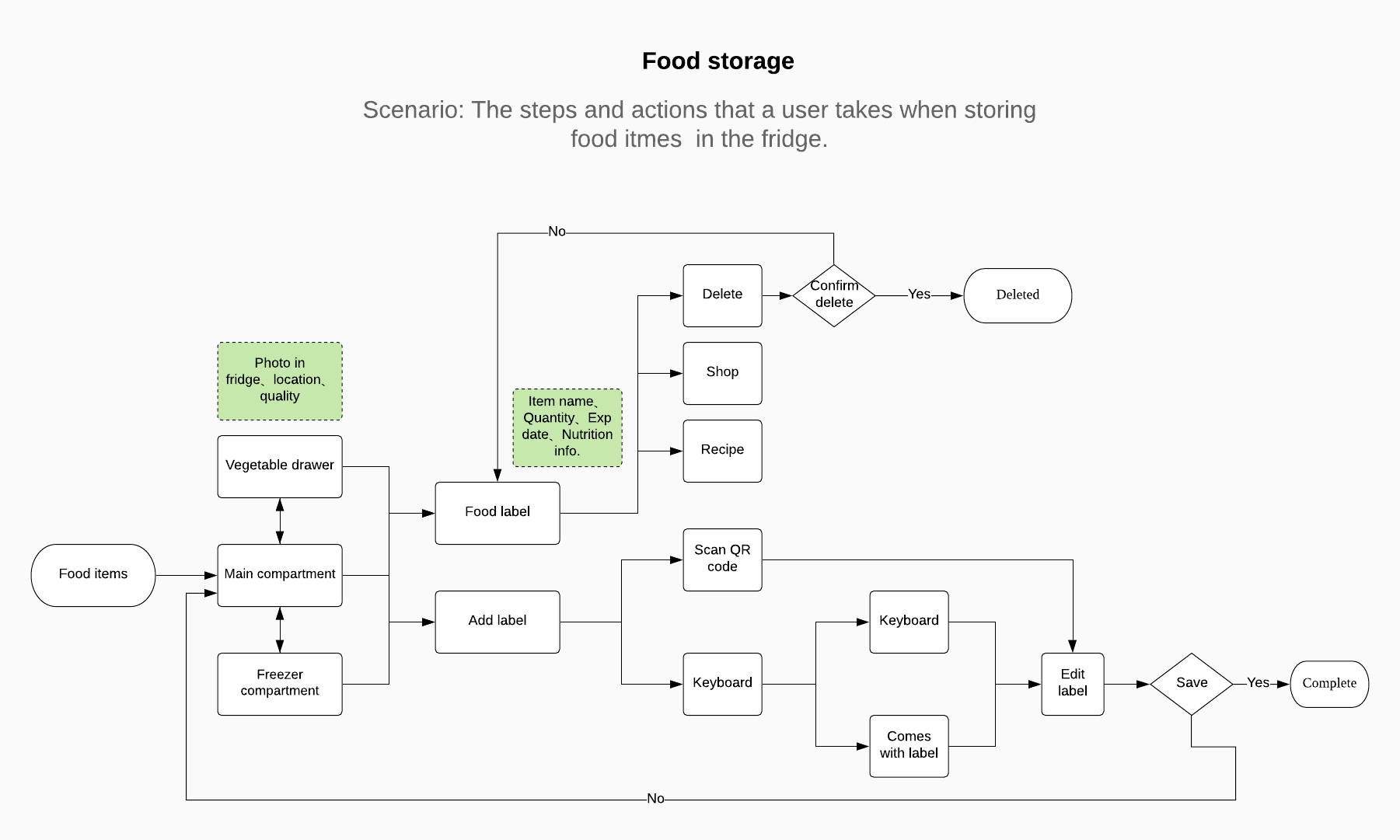
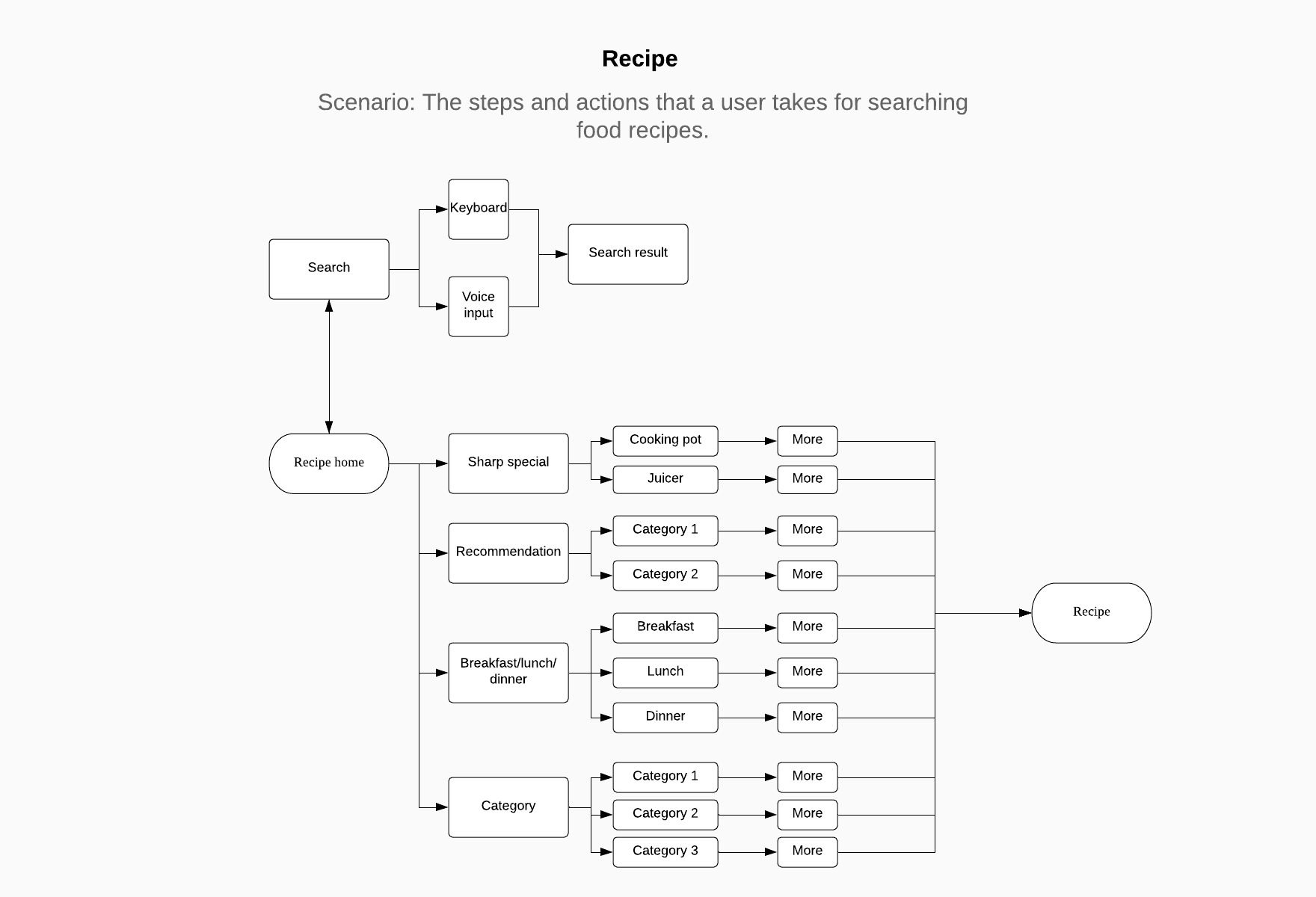
To analyze the flow throughout the app, we created flowcharts of common scenarios found from the research phase. It helped us visualizing the steps a user takes to complete a task or achieve a goal on our device, which gave us a better sense about how to craft intuitive experiences through the UI.
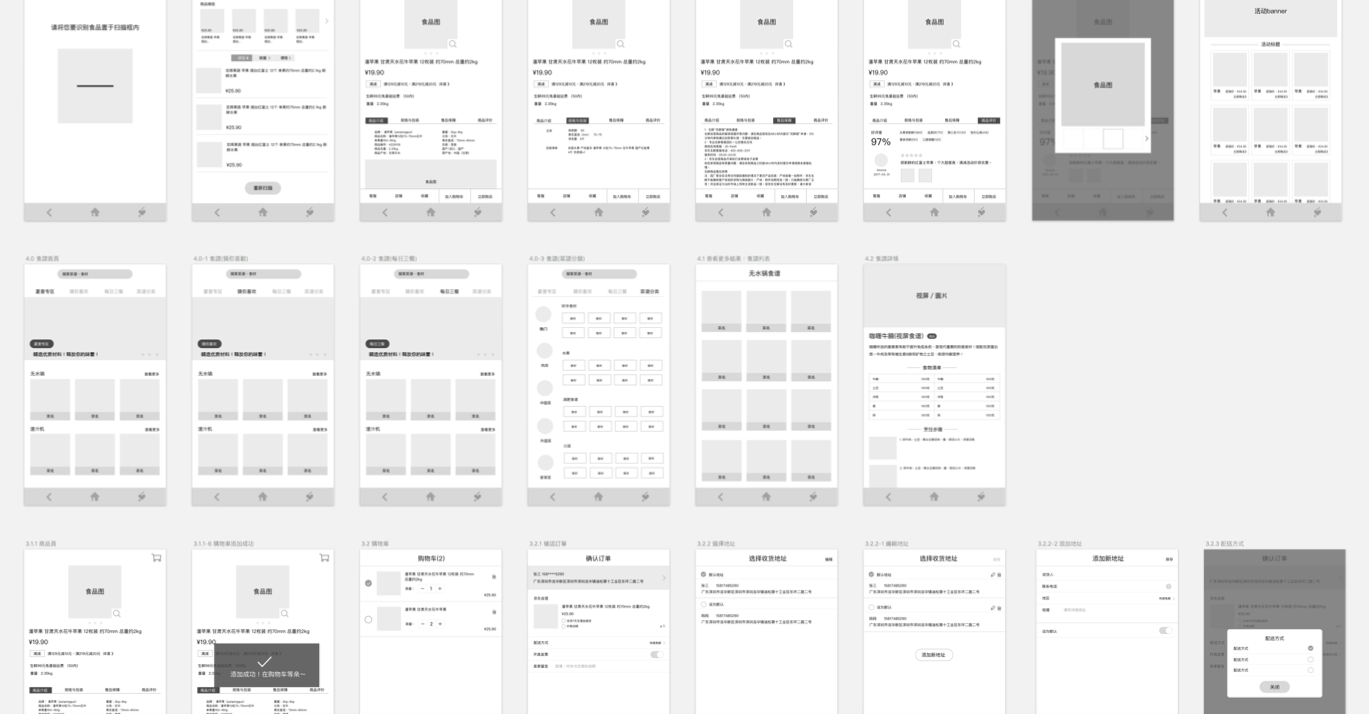
wireframes
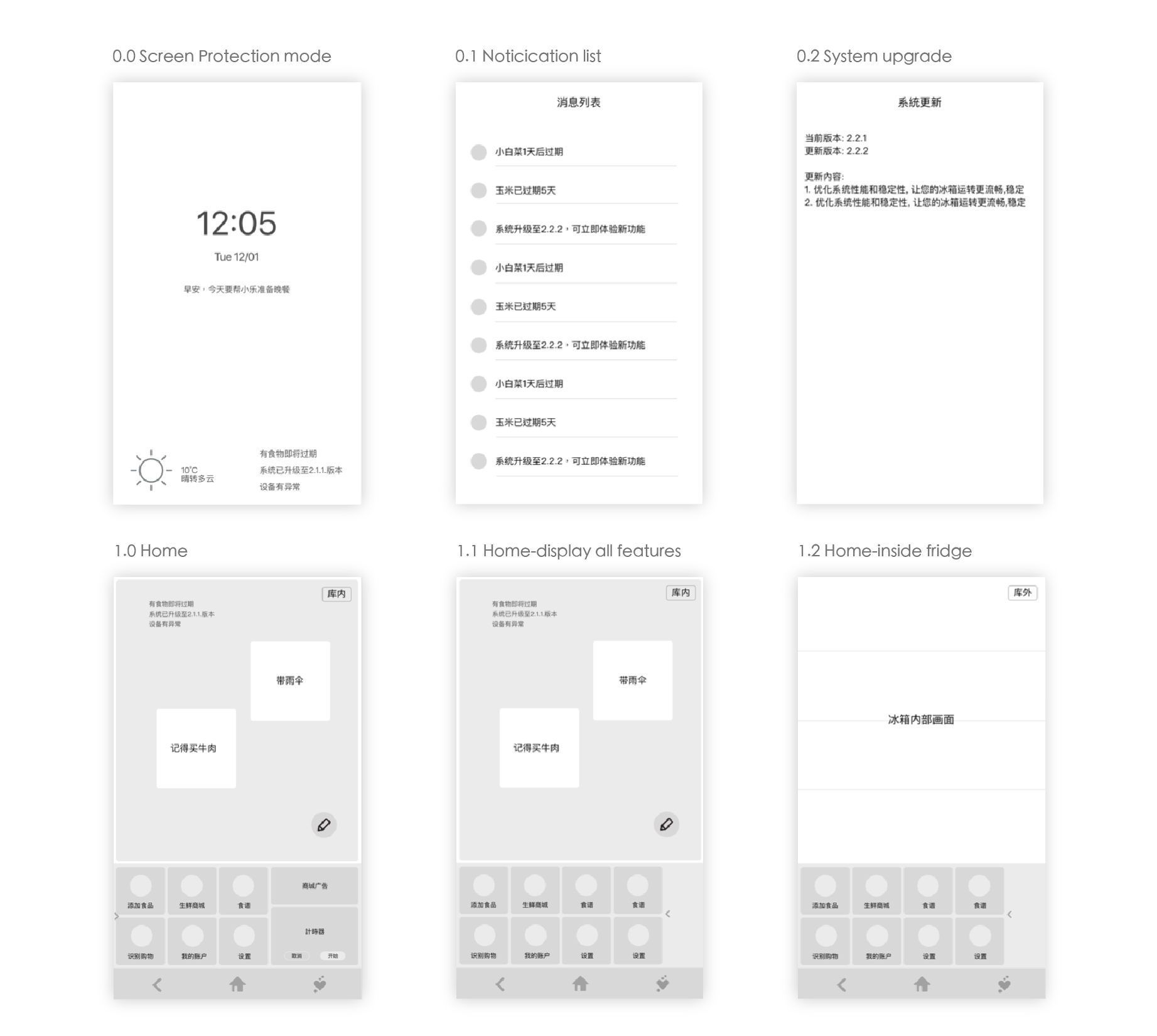
We then developed mid-fidelity wireframes to visualize our task flows. We used the wireframe to to to every step of the of the app with the project manager, developers, and QA testers. We’ve made some adjustments on the wireframes based on their comments and feedbacks.
High-Fidelity Mockups
Finally, we produced high-fidelity mockups and UI guidelines.
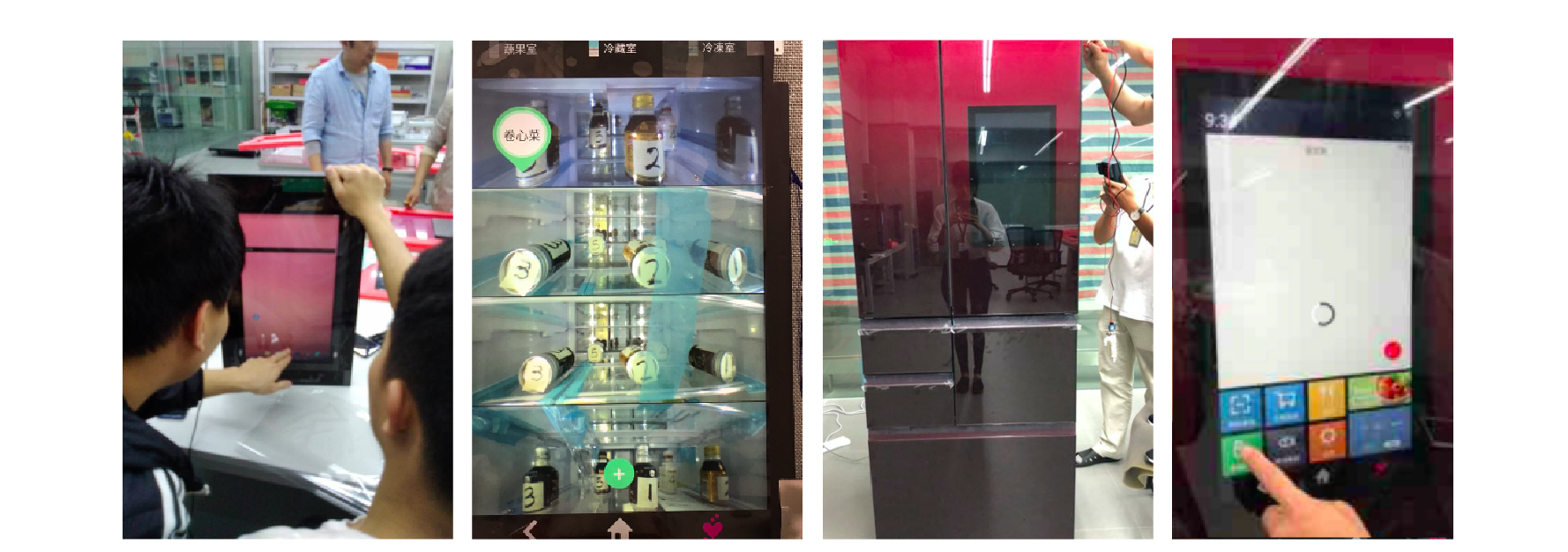
Prototype Testing
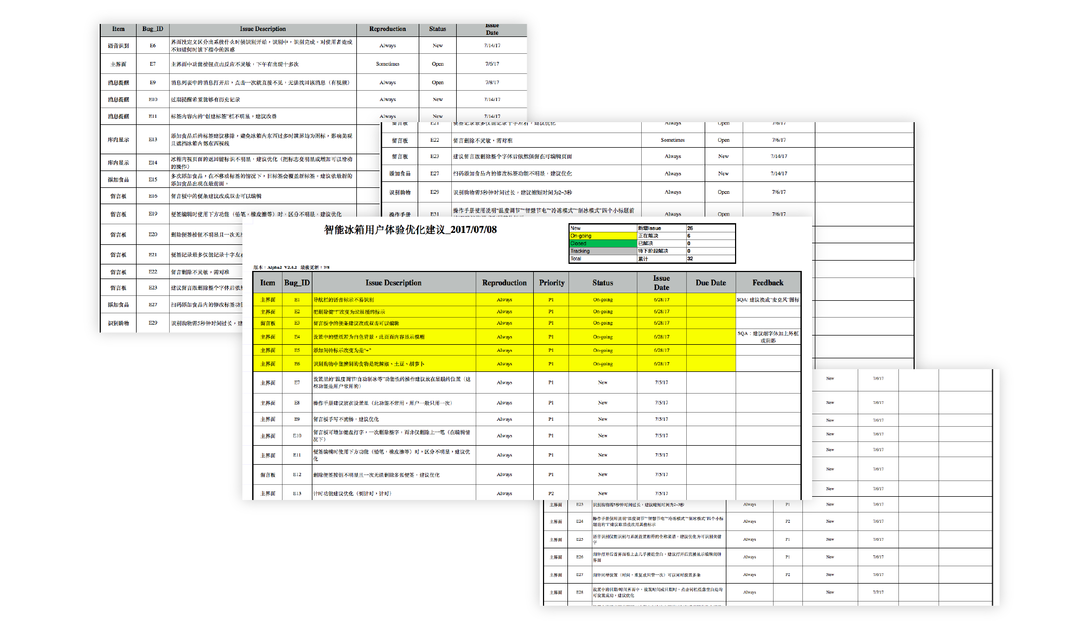
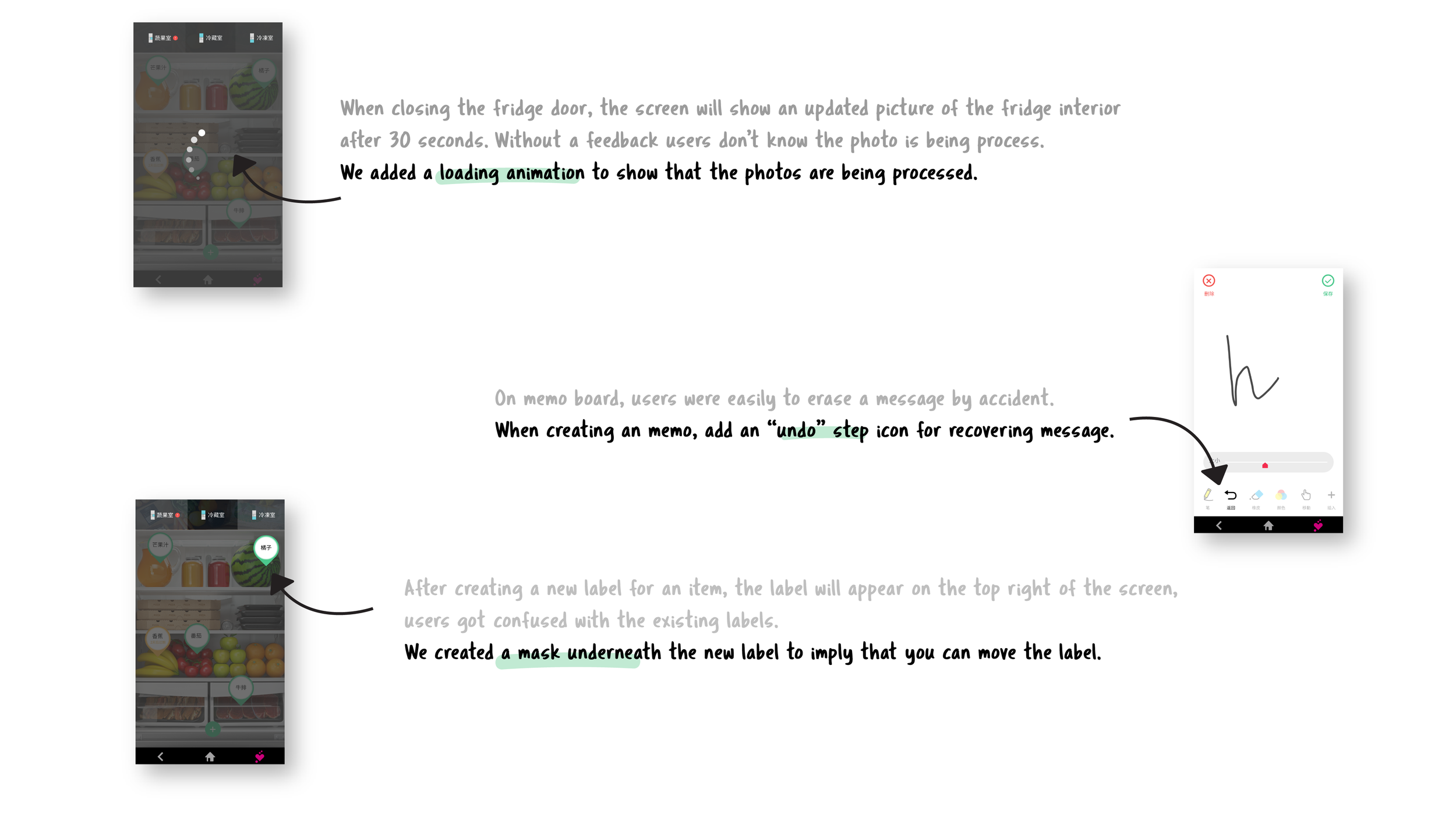
After the design process, we conducted prototype testing session with the QA tester to find areas of improvement.
final design
Below is the prototype of the fridge that showcases the feature interactions and the modular design of the app.